

Ask and draft from a transcript
The right panel on a transcript is the assignment desk. Suggested actions start a focused pass over the recording. Chat is for follow-up questions. Either path can become a Content Studio draft.
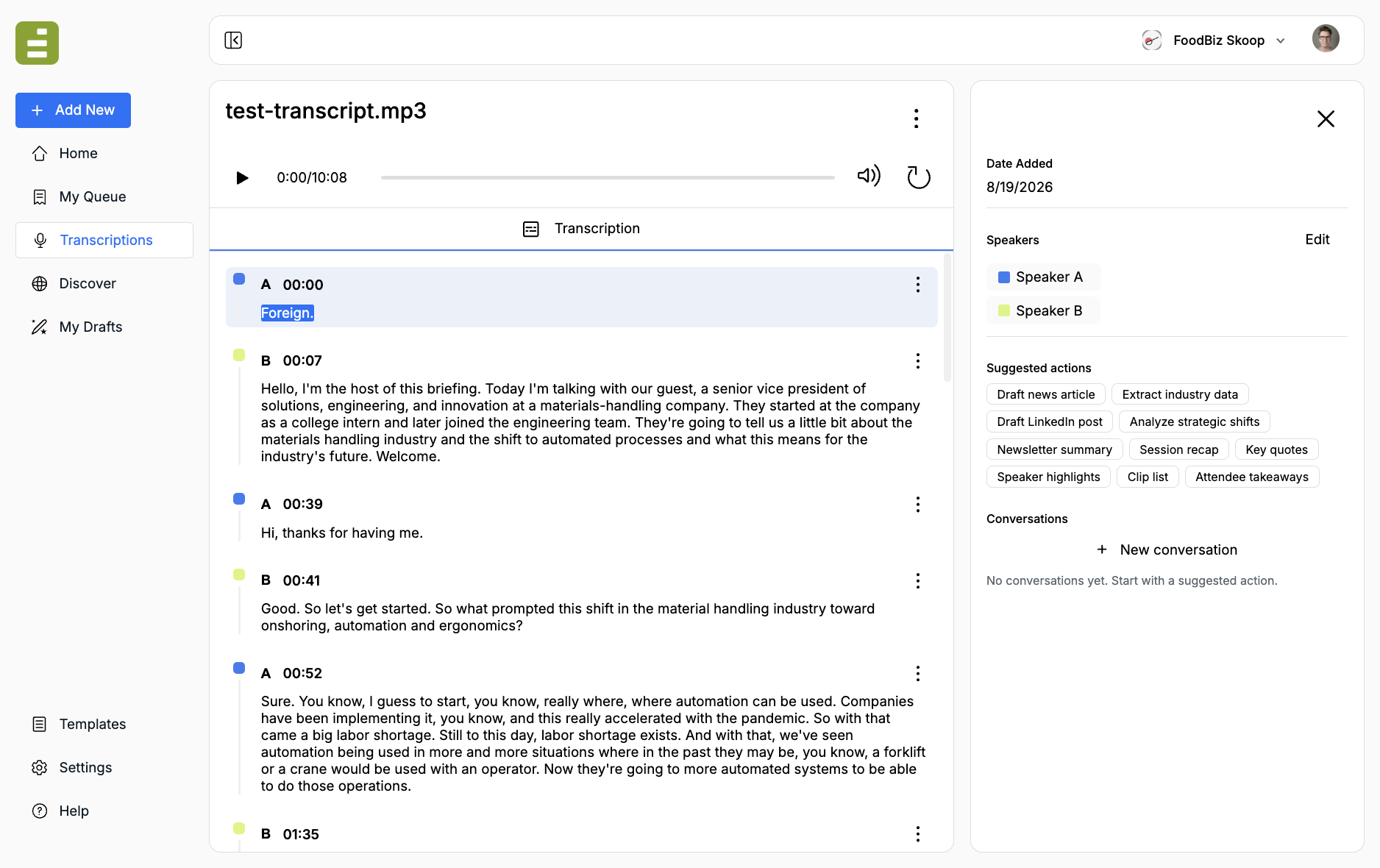
Rename speakers and fix important wording first. See Review and edit. Jo uses those names and that text.
Suggested actions
Section titled “Suggested actions”Each chip starts a new conversation with a ready-made assignment. The stock set is built for newsroom and events work:
| Action | What it produces |
|---|---|
| Session recap | A tight editorial recap with takeaways and who said what |
| Key quotes | The strongest quotes, with speaker names and timestamps |
| Speaker highlights | Main points and quotes grouped by speaker |
| Clip list | Soundbites for social or video teams, with timestamps |
| Attendee takeaways | A short post-session recap for events or paid content |
Edisource also adds chips from the recording itself, such as Draft news article or Extract industry data. Those change from transcript to transcript.
Click a chip when you want that job. Do not stack five actions at once. Run one, read it, then ask a follow-up.
Chat about the session
Section titled “Chat about the session”Use New conversation or the chat field to ask your own question. Examples:
- What did the guest say about enforcement timelines?
- Pull every claim that includes a number or date
- Write a 150-word brief for the morning newsletter
The transcript is attached as source material. Stay specific. “Summarize this” is weaker than “List the regulatory changes the guest said would take effect this year.”
Conversations stay on the transcript. Open one later from the Conversations list.
Send work into Studio
Section titled “Send work into Studio”When a reply is ready to edit:
- Select the text in the chat
- Open it in Content Studio
Edisource creates a draft, attaches the transcript as source material, and opens the editor. You can keep revising there, or run a template against the same recording.
You can also add a finished transcription as source material when you start a template from Add New. That is the path for a house-style article, not a one-off recap.
When to stop chatting
Section titled “When to stop chatting”Chat is for the first pass: quotes, recaps, clip lists, and questions about the session. When you know the story form, switch to a template so the next interview produces the same structure.