

Feed groups
A feed group is a parent monitor. It reads the reports from its child feeds and produces one aggregated report. Use groups when you want more feeds, not fewer.
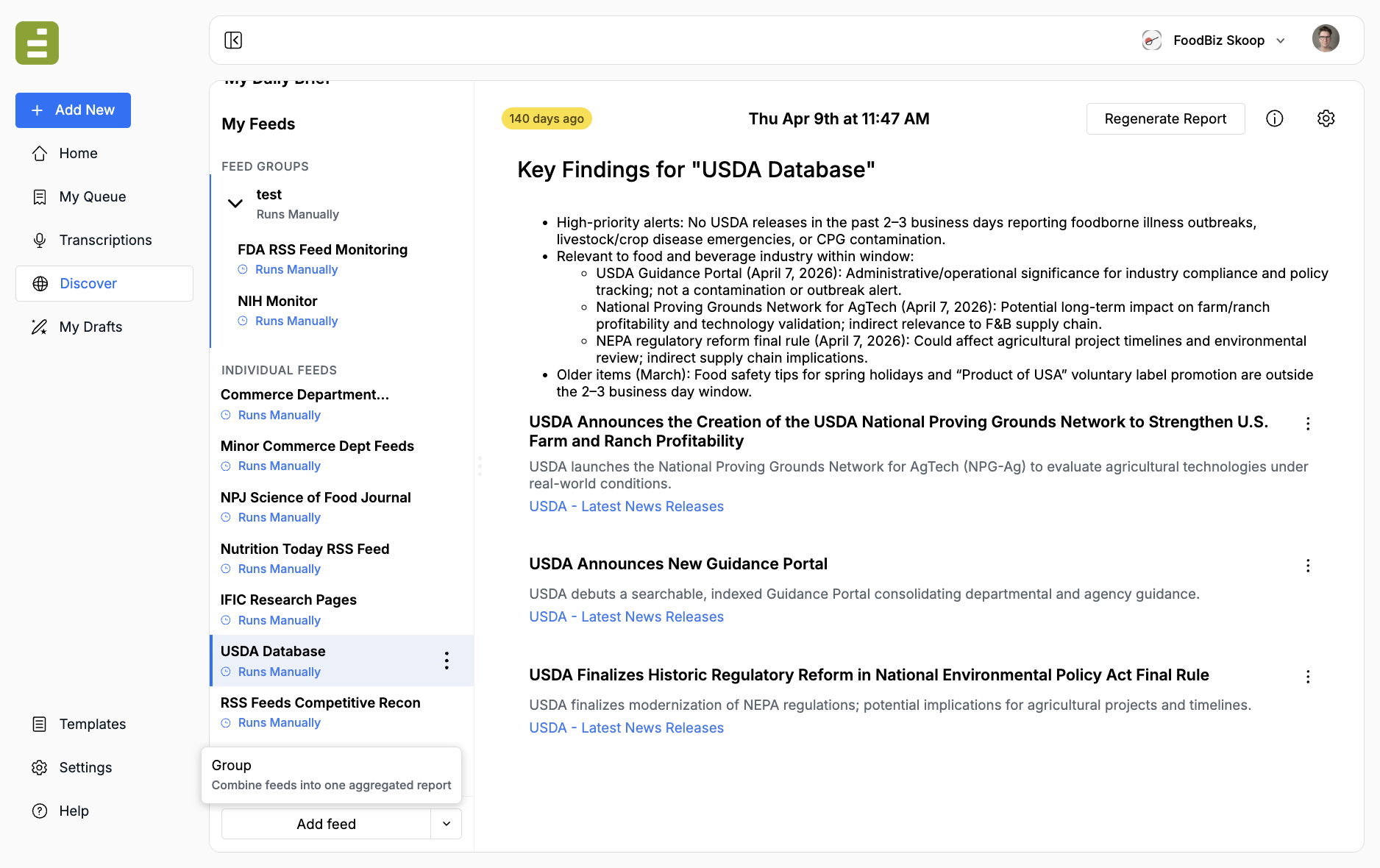
My Feeds splits the list into Feed groups and Individual feeds. Child feeds also appear under their parent so you can open either the group report or a single source.
Why groups exist
Section titled “Why groups exist”Keep each feed focused. Then group the ones that belong on the same desk.
- One URL feed for the FDA listing
- One URL feed for the NIH listing
- One keyword feed for industry wires
The parent group can still email you one recap, run on one schedule, and decide when to use templates. That is why there is no downside to creating more feeds. Split when a source needs its own instructions. Group when you want one place to read the results.
A feed can belong to more than one group. Adding it to a group does not remove it from other groups.
Create a group
Section titled “Create a group”- In Discover, open the dropdown next to Add feed.
- Click Group. The helper text is “Combine feeds into one aggregated report.”
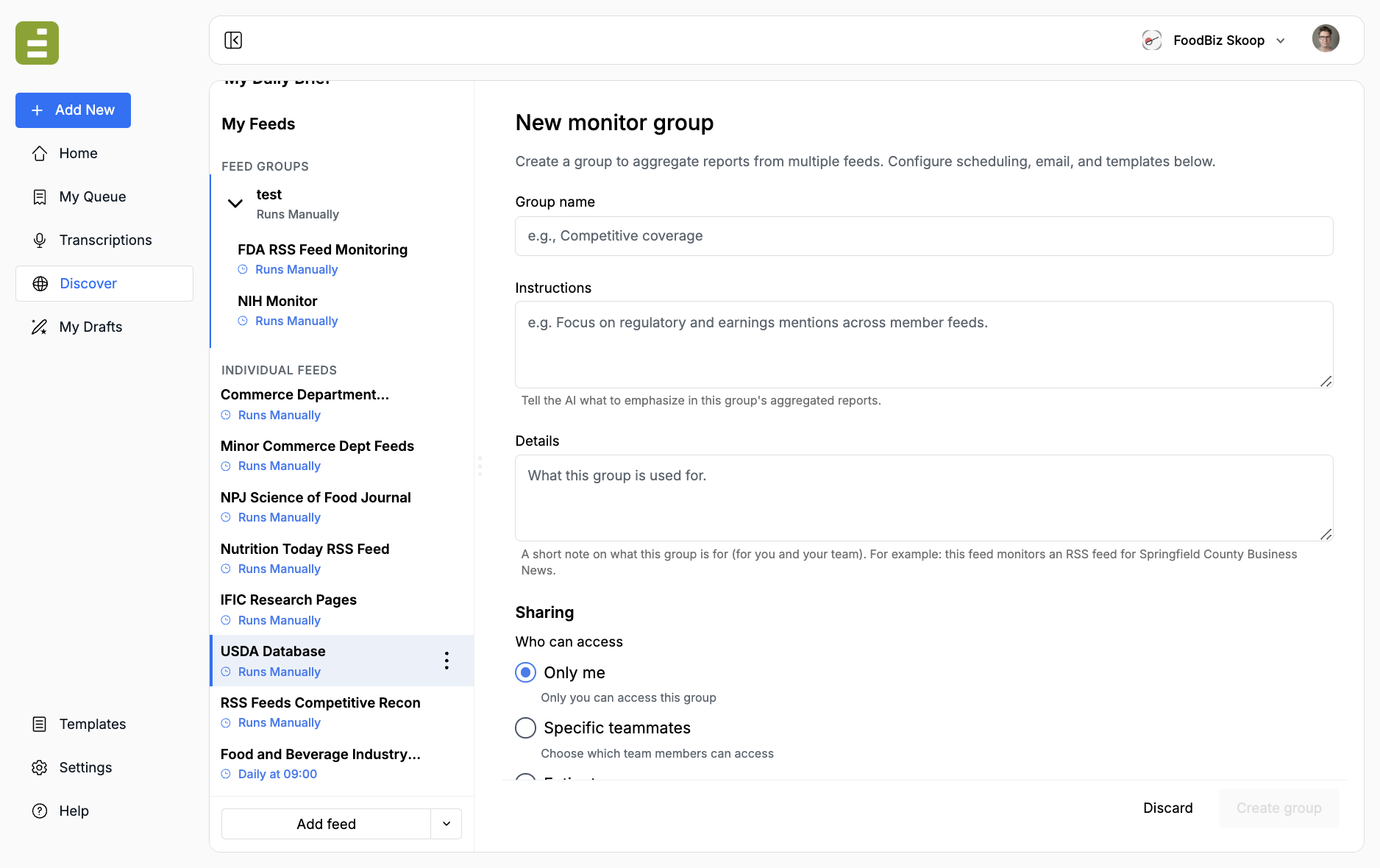
Fill in:
| Field | What it is |
|---|---|
| Group name | A name the desk will recognize, such as “Competitive coverage” or “Federal food regs.” |
| Instructions | What the Agent should emphasize in the aggregated group report. |
| Details | An internal note for you and your team. The Agent does not use this to decide relevance. |
| Member feeds | Optional at create time. You can add or remove children later in group settings. |
| Sharing, schedule, email, templates | Same pattern as an individual feed. The group can run on its own cadence and notify on group-level signals. |
Click Create group.
You can also add a feed to a group later from that feed’s Parent groups field.
Group instructions
Section titled “Group instructions”Group instructions are not a copy of every child feed. Tell the parent what to pull forward.
Example:
Read the child feed reports and produce one daily recap for the food desk.Lead with new regulations or enforcement actions that affect manufacturers.Then list material product recalls. Ignore routine personnel notices unlessthey change an agency’s food policy. Include a link to the original item.If a child feed already does a multi-step watch — click the new row, open the PDF, decide if it meets criteria — keep those steps on the child. The group should say which of those findings to surface.
Edit a group
Section titled “Edit a group”Click the group name, then open group settings from the row menu. You can rename it, change instructions, add or remove member feeds, and update schedule or email. Delete Group removes the parent. Child feeds stay in Individual feeds.