

Todos, instructions, and memory
Todos keep the assignment moving. Instructions and memories tell Jo how to work once a draft is open.
Todos and reminders
Section titled “Todos and reminders”Open the project, then click Todos.
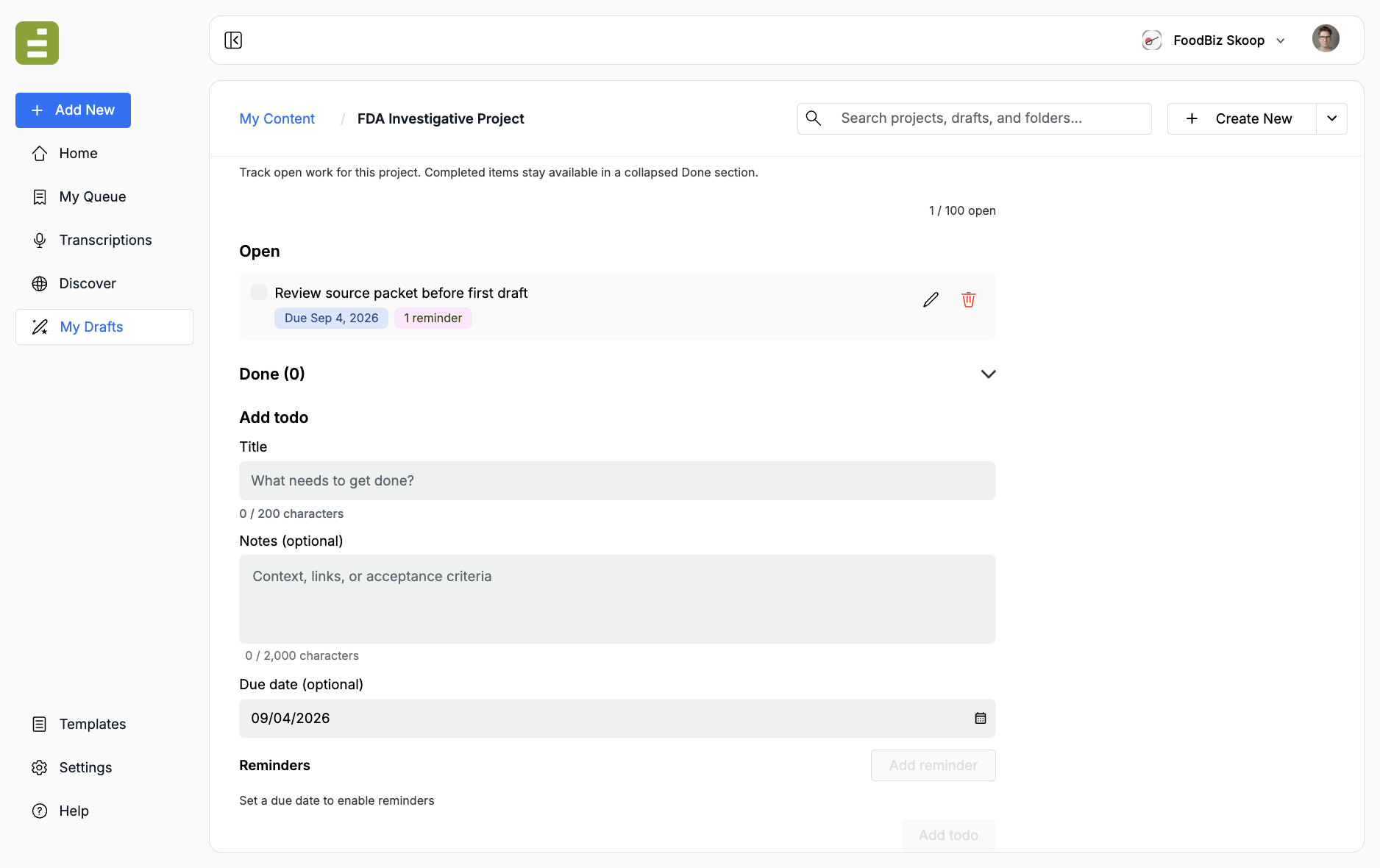
A project can have up to 100 open todos. Completed items stay in a collapsed Done section.
To add a todo:
- Enter a Title
- Optionally add Notes
- Optionally set a Due date
- Click Add todo
Reminders stay disabled until a due date is set. After you pick a date:
- Click Add reminder
- Choose Remind on and a Time
- Confirm who to Notify, or add a teammate
- Click Add todo
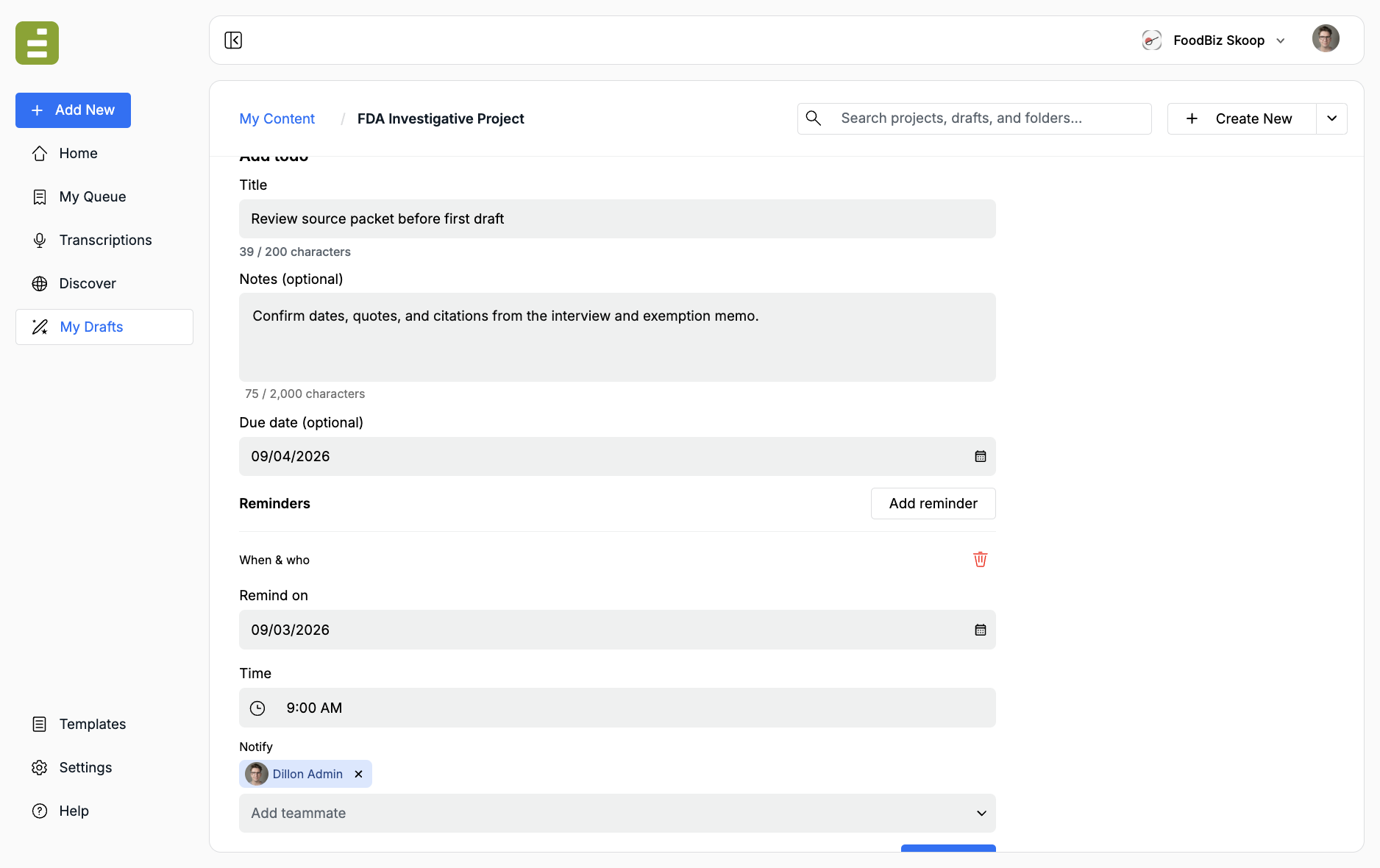
Reminders must fall on or before the due date. You can add up to 10 reminders on one todo.
Click a row to read notes and reminder details. Use the pencil to edit, the checkbox to mark done, or the trash icon to delete.
Instructions
Section titled “Instructions”Open Instructions to set the description and the standing assignment for Jo.
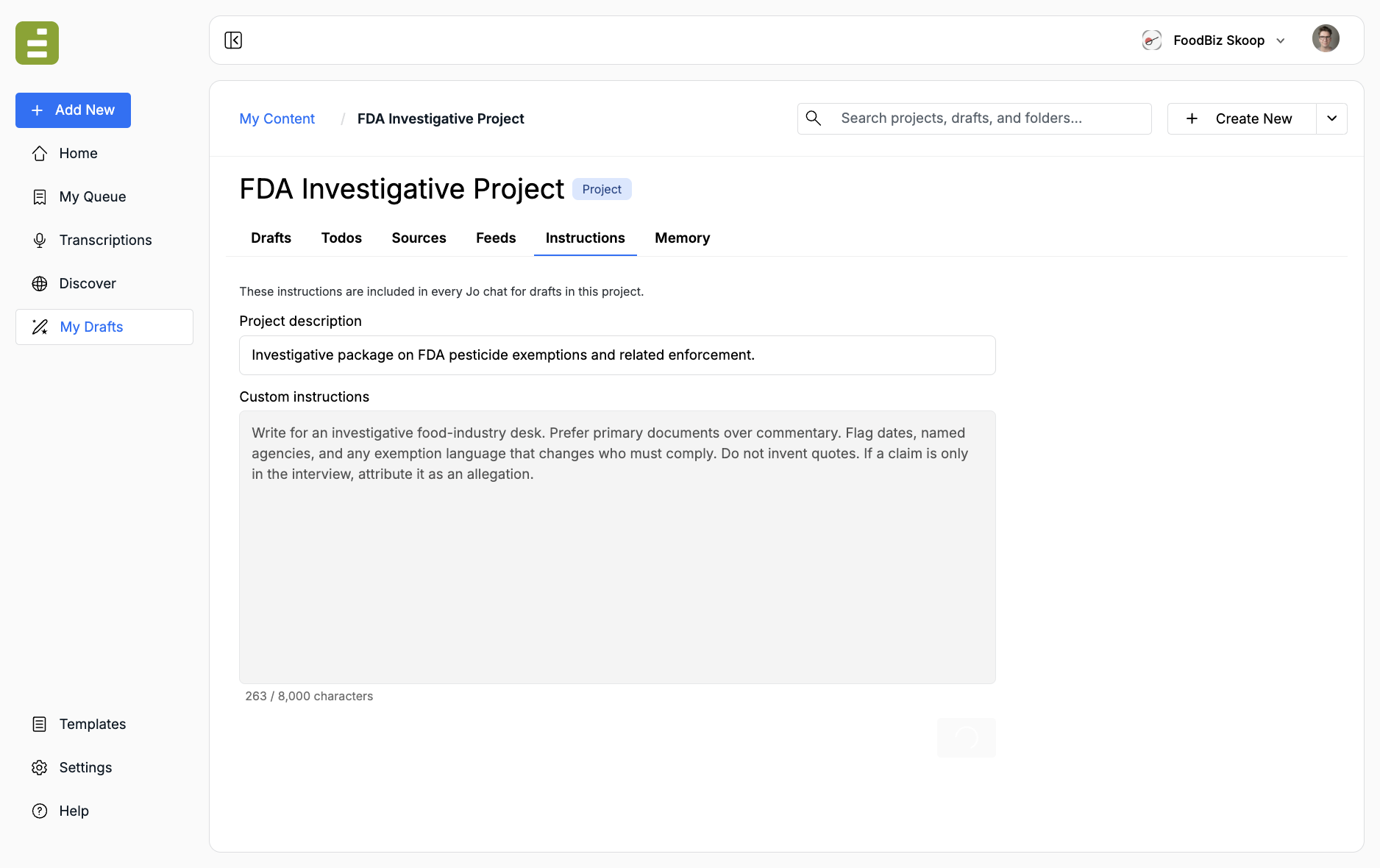
Project description is the short summary teammates see in search. Custom instructions are included in every Jo chat for drafts in this project. The instructions field holds up to 8,000 characters.
Write the same kind of brief you would give a reporter:
- Who the draft is for
- What counts as a primary source
- What Jo must flag or never invent
- How claims from interviews should be attributed
Click Save after you edit. These instructions apply across drafts. They do not replace a template when you need the same story form every week.
Memory
Section titled “Memory”Open Memory for short notes Jo should keep from chat to chat.
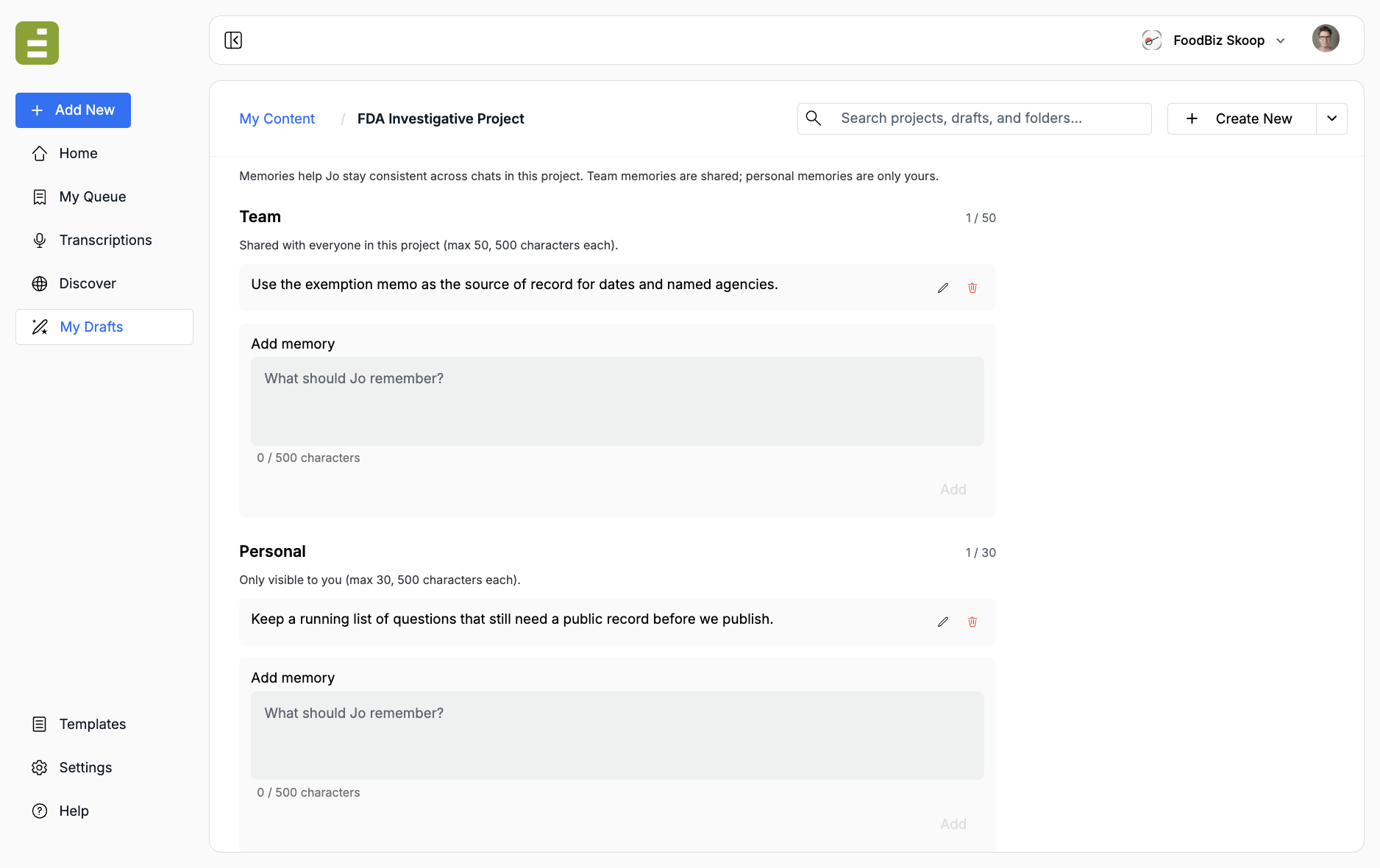
- Team memories are shared with everyone in the project (up to 50)
- Personal memories are only yours (up to 30)
- Each memory can be 500 characters
Team memories are for facts the whole desk should keep: which memo is the source of record, which agency name to use, which claim still needs a public document. Personal memories are private working notes.
Type a note, then click Add. Edit or delete from the row. Use memories for durable facts. Use instructions for voice and constraints. Use sources for the documents themselves.