

Audit a draft
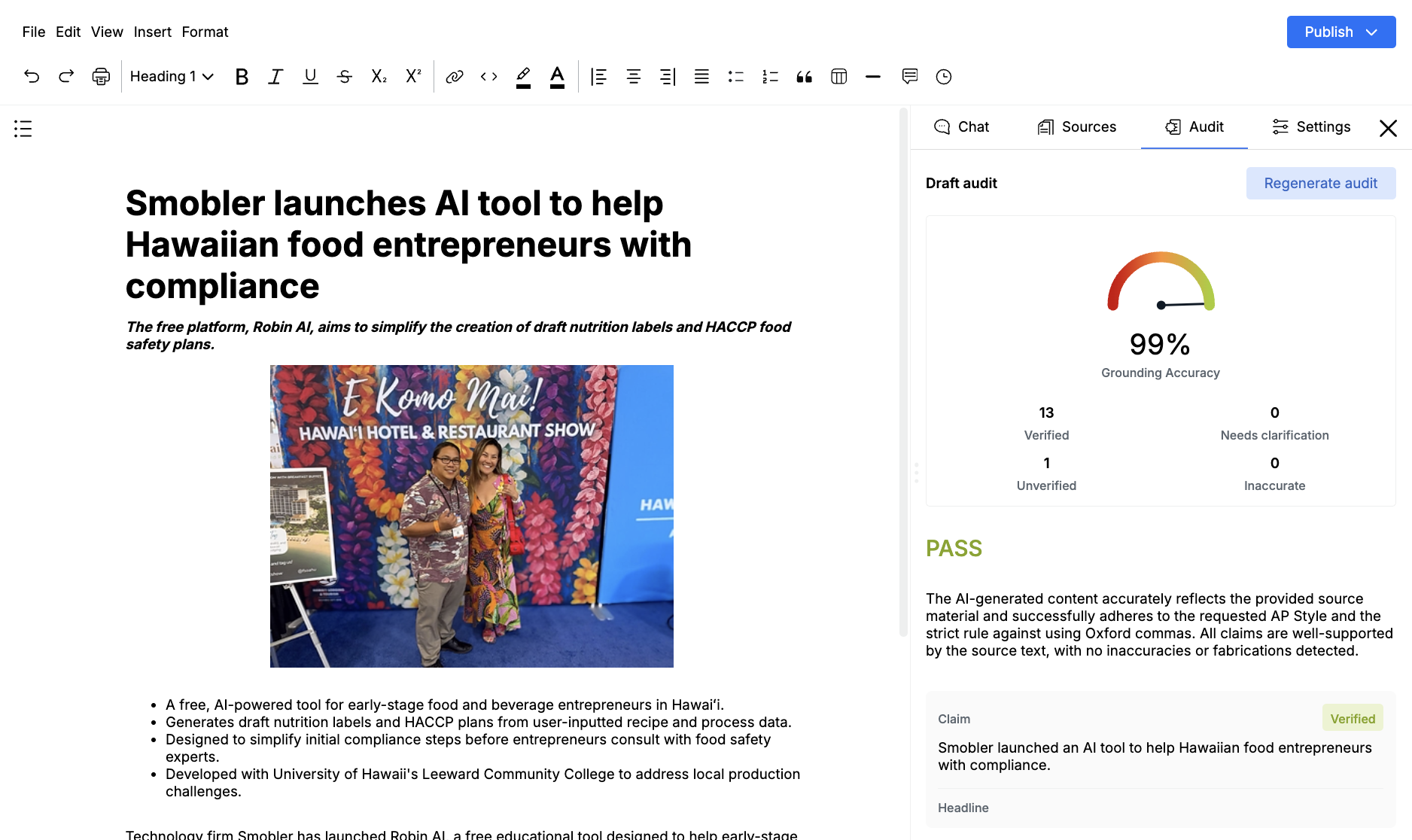
The Audit tab grounds the draft against its source material, the style guide, and any project context. It is a review pass, not an automatic rewrite.
Run an audit
Section titled “Run an audit”- Open the draft and attach the sources you want Jo to check
- Click Audit
- Click Generate audit
- Wait for Auditing draft… to finish
If a report already exists, the header is Draft audit. Click Regenerate audit after you change the copy.
The audit needs the editor to be ready and at least one source. Empty states say No audit yet. Errors usually mean the draft details did not load — refresh and try again.
How the report is built
Section titled “How the report is built”Jo reads the current draft HTML and the attached source manifest, then scores each claim and quote.
The summary includes:
- An overall grade such as PASS or FAIL
- Grounding Accuracy as a percent
- Counts for Verified, Needs clarification, Unverified, and Inaccurate
- A short written summary
- Style and Tone notes against the style guide
Human-written passages can be excluded from the grade. Those appear under Notes on human-written content.
Each card is a Claim or a Quote. Status means:
- Verified: The source supports it
- Needs clarification: The source is close, but the wording overreaches
- Unverified: The draft states it, the sources do not
- Inaccurate: The draft conflicts with the sources
Use the findings
Section titled “Use the findings”Click a card to flash the matching passage in the editor. If the text has changed since the last run, you may see Could not find that claim in the draft.
There is no dismiss or mark-resolved control. Fix the copy yourself, or ask Jo in chat to rewrite the weak lines. Then regenerate.
An unverified image caption or a stray adjective is a prompt to check the source, not a block on publishing. Treat Inaccurate claims as must-fix before you publish.