

Add a template
Use this page the first time you add a template. You will name it, write the assignment, set a model, and deploy it so people and Jo can select it.
Open the template studio
Section titled “Open the template studio”- Go to Templates.
- Click Create New Template.
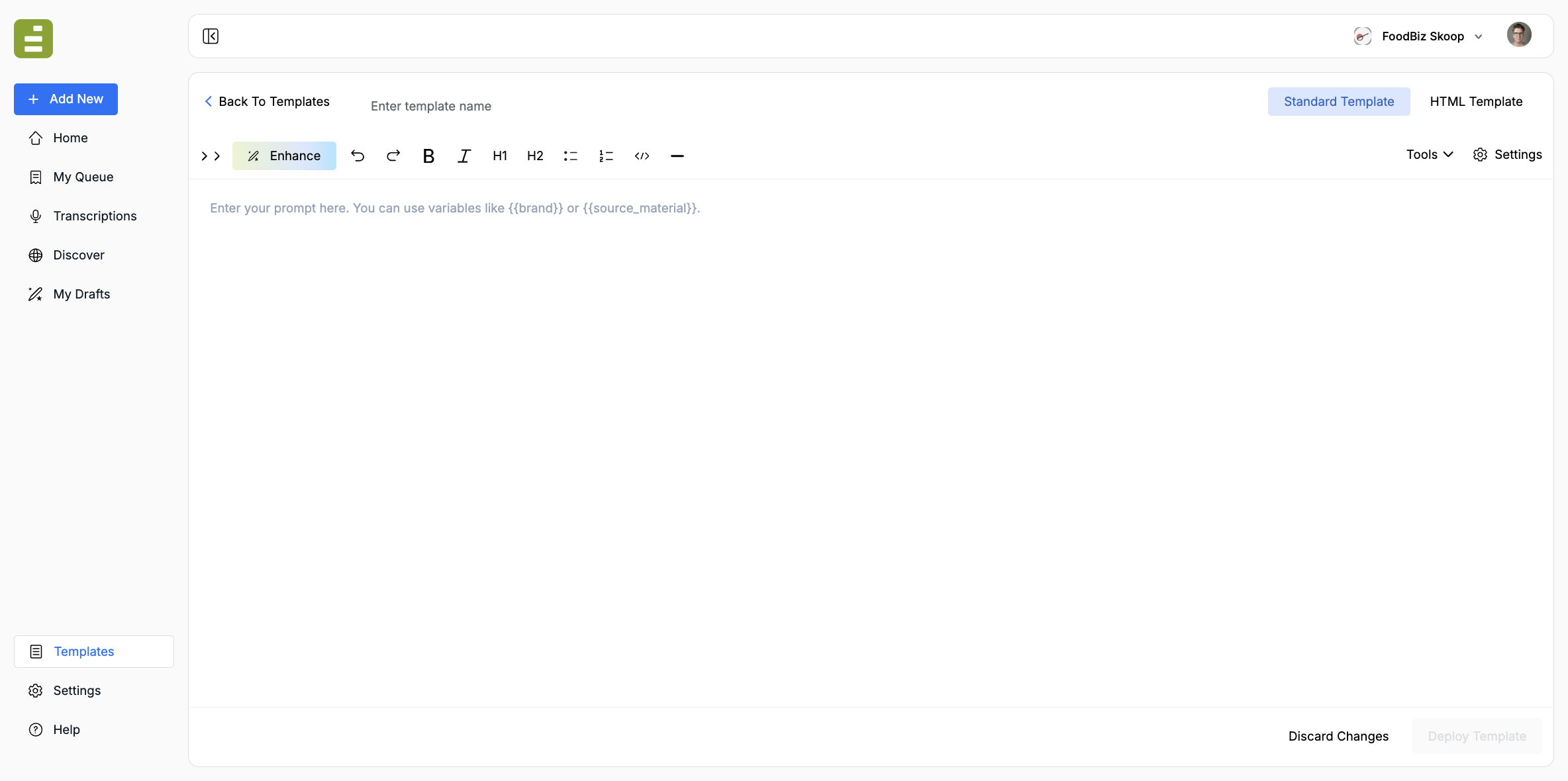
The studio is a blank assignment. Deploy Template stays disabled until the template has a name and prompt.
Name the template
Section titled “Name the template”Click Enter template name and use the language your newsroom already uses.
Good names:
- News Article
- New Product Announcement
- White Paper
- New Hire Announcement
Jo and other users pick from this list. If two templates do similar work, make the difference obvious in the name.
Choose a template type
Section titled “Choose a template type”- Standard Template: The usual choice. Write the assignment in the prompt editor. Use this for articles and most editorial forms.
- HTML Template: Use when the output has to land in a fixed HTML layout.
- Document: Use when the output should become a designed document. This option appears if your organization has document generation. Pick a published document theme. Without one, the template cannot save.
Start with Standard unless you already know you need HTML or a document theme.
Write the assignment
Section titled “Write the assignment”The editor is where you tell the model what to produce every time this template runs. Write it like a standing desk assignment, not a chat message.
Include:
- The story form and audience
- What source material the user or Jo will attach
- What to include and what to leave out
- The voice and length you expect
You can use variables such as {{brand}} or {{source_material}} so the same template can run against different inputs. Standing reference that should stay the same across templates belongs in a knowledge block ({{block_house_voice}}, {{block_taxonomy_tags}}).
Keep the prompt specific enough that two runs with similar sources come back in the same shape. Prompting best practices has assignment examples for newsletters, press-release rewrites, research, products, and new hires. Structure output with XML tags covers wrapping titles, SEO fields, and other attributes so Content Studio and the queue can split them from the body. Use an HTML template when the output has to land in a fixed HTML layout. Recurring chat instructions belong in a blurb, not in the template prompt.
Open Settings
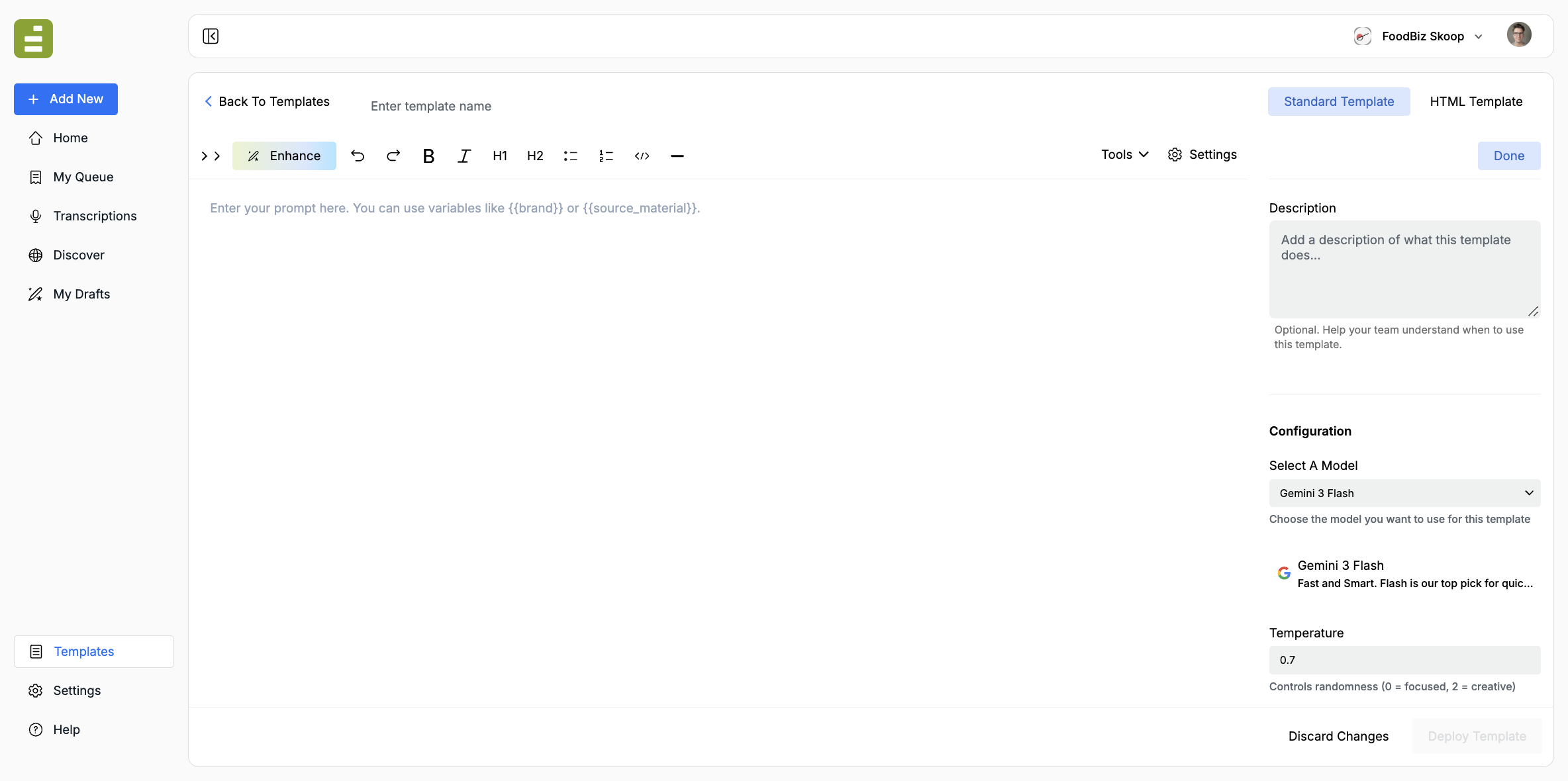
Section titled “Open Settings”Click Settings in the editor toolbar. The right rail holds the description, model, generation controls, tools, and sharing.
Description
Section titled “Description”Add a short note about when to use this template. Jo and teammates read this when they are choosing among many options.
Example: “Use for breaking food-policy stories that need a reported article, not a newsletter blurb.”
The model is the writer on the assignment. Pick one that matches the work, then leave it so every run stays consistent.
| Model | Best for |
|---|---|
| Auto | Let Edisource pick based on daily performance when you do not need a specific vendor |
| Model | Best for |
|---|---|
| Gemini 3.7 Flash | Fast everyday pieces and tool-using assignments. The usual first choice |
| Gemini 3.6 Flash | High-volume Flash work when you want the prior 3.6 generation |
| Gemini 3.5 Flash | Fast, lower-cost Flash runs |
| Gemini 3.5 Flash-Lite | The cheapest, highest-throughput Flash option |
| Gemini 3 Flash | Fast, straightforward pieces |
| Gemini Flash Latest | Always follows Google’s current Flash model |
| Gemini 3 Pro | Longer analysis that needs more judgment |
| Gemini 3.1 Pro | Complex tasks and critical analysis |
| Gemini Pro Latest | Always follows Google’s current Pro model |
| Gemini 2.5 Flash | Older Flash option for simple, high-volume work |
Anthropic
Section titled “Anthropic”| Model | Best for |
|---|---|
| Claude Opus 5 | Hard reported or analytical pieces. Can be slower |
| Claude Sonnet 5 | Everyday editorial volume |
| Claude Fable 5 | The heaviest reasoning budget |
| Claude Opus 4.7 | Strong creative and analytical work. Can be slower |
| Claude Opus 4.6 | Complex creative writing |
| Claude Sonnet 4.6 | Complex creative writing, usually faster than Opus |
| Claude 4.5 Haiku | Quick, simple tasks |
OpenAI
Section titled “OpenAI”| Model | Best for |
|---|---|
| GPT-5.6 Sol | Frontier work that needs the strongest OpenAI model |
| GPT-5.6 Terra | Balanced everyday editorial work |
| GPT-5.6 Luna | High-volume, lower-cost runs |
| GPT-5.5 | Advanced reasoning and general editorial work |
| GPT-5.2 | Advanced reasoning and general editorial work |
| Model | Best for |
|---|---|
| Grok 4.6 | Long, tool-using assignments that have to stay with a brief |
| Grok 4 | General Grok runs |
| Model | Best for |
|---|---|
| Llama 4 Maverick | Frontier open-weight option |
For a first newsroom template, Gemini 3.7 Flash or Auto is enough. Switch to a Pro, Opus, or Sol-class model when the piece needs more judgment than speed.
Temperature and Top P
Section titled “Temperature and Top P”- Temperature (0–2, default 0.7): lower stays closer to the brief; higher is more inventive.
- Top P (0–1, default 1): lower narrows the word choices.
Keep these stable once a template is in production. Changing them changes the voice.
Turn on only what the assignment needs:
- Web Search
- Newswire Search (press releases only, or across the web)
- URL Context
- Search CMS
- Organization-defined API tools, if your team has any
A template that should stay inside attached source material should not have web search on.
Access
Section titled “Access”- Only Me: private draft
- My Team: the usual setting so Jo and colleagues can select it
- Specific Users: limit the audience
Who Can Edit is separate. Access lets people run the template. Edit lets them change the assignment.
Deploy
Section titled “Deploy”- Confirm the name, prompt, and settings.
- Click Deploy Template.
- Return to Templates and confirm the new row is in the library.
The template is now selectable. You can attach source material yourself, or let Jo pick it when a Discover finding matches the description.
If you are not ready to publish, Discard Changes returns you to the library without saving.
Prompting best practices covers how to write the assignment. For a Document template, create a theme first, then attach it here.