

Post settings
The Settings tab is the metadata for this draft. The editor holds the body. This panel holds the fields your CMS and social cards expect.
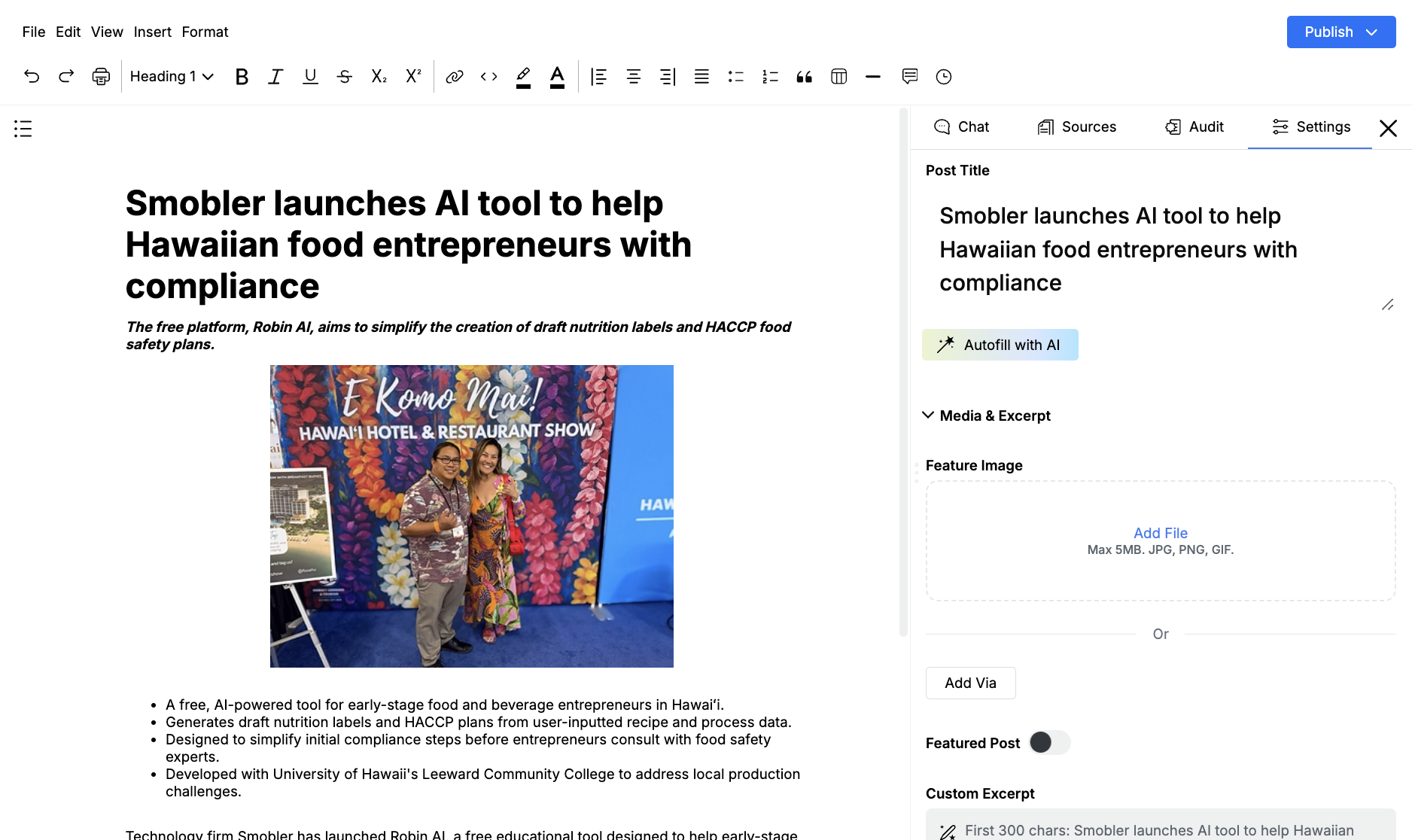
Open a draft, then click Settings.
Title and autofill
Section titled “Title and autofill”Post Title autosaves. Do not leave it empty.
Autofill with AI fills the empty metadata fields from the draft. Individual fields also have a generate icon if you only want one filled.
Media and excerpt
Section titled “Media and excerpt”Open Media & Excerpt for:
- Feature Image — JPG, PNG, or GIF, max 5MB. Add Via can pull from a connected drive
- Featured Post — marks the piece as featured when the CMS supports it
- Custom Excerpt
- Slug
- Tags — type a tag and press Enter. Parameter1 uses Topics instead
- Categories — WordPress only
- Authors
Slug, tags, categories, and topics follow whatever CMS your admin connected. If those fields are missing, the integration is not set up or that platform does not use them.
SEO and social
Section titled “SEO and social”SEO Data holds Meta Title, Meta Description, Open Graph image, title, and description, plus Canonical URL. Twitter Card Data is the same idea for X.
Use these when you publish to a CMS. They do not change the body in the editor.
If a template wrapped a title or excerpt in tags, those labeled sections in the draft and these Settings fields should agree before you publish.