

Discover overview
Discover is Edisource’s monitoring workspace. It helps journalists, editors, and content strategists stay current without checking the same sources by hand.
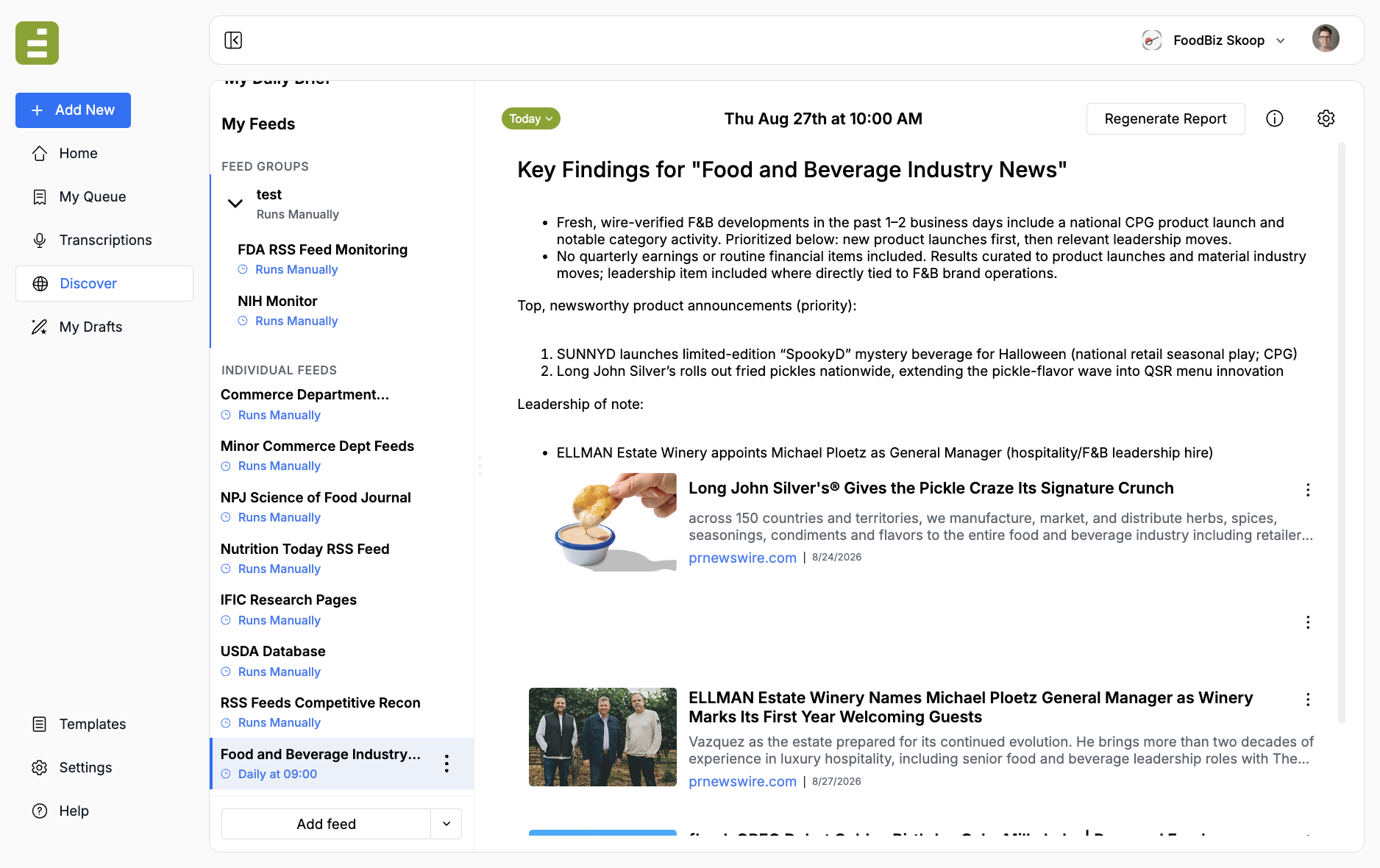
Open Discover in the left navigation. My Feeds lists feed groups and individual feeds. Click a feed to read its latest report.
With Discover you can:
- Monitor keywords across the web
- Track specific URLs for new or updated content
- Group related feeds into one aggregated report
- Run feeds on a schedule
- Receive email summaries when relevant content appears
- Let AI use your templates to draft publication-ready pieces from strong findings
When to use Discover
Section titled “When to use Discover”Use Discover when you need a repeatable watch on a beat, a regulator, a competitor, or a research source. It is not a one-off search box. Each feed is a standing assignment for the Agent.
Feed types
Section titled “Feed types”Keyword feed
Best when the topic can appear on many sites. Example: “AI regulation,” “food additive safety,” or a company name.
URL feed
Best when you already know the page that matters. Example: a regulatory database, a research publications page, or a company newsroom.
Keep URL feeds focused. If you are unsure how many URLs belong in one feed, create another feed instead of overcrowding. Feed groups can still give you one parent report.
What makes a feed work
Section titled “What makes a feed work”The Instructions field matters more than the feed name. Tell the Agent:
- What on the page or beat counts as relevant
- Where and how to get the information
- What should be ignored
- How recent the content should be
- What to do when a strong result appears
Start with Create a feed.