

Connect Parameter1
Parameter1 (MindfulCMS) uses a machine-to-machine token and channel identifiers. It does not use metadata_ tags. Templates use Parameter1’s own body tags.
Org admins connect it at Settings → CMS Publishing. Click Connect CMS, then choose Parameter1.
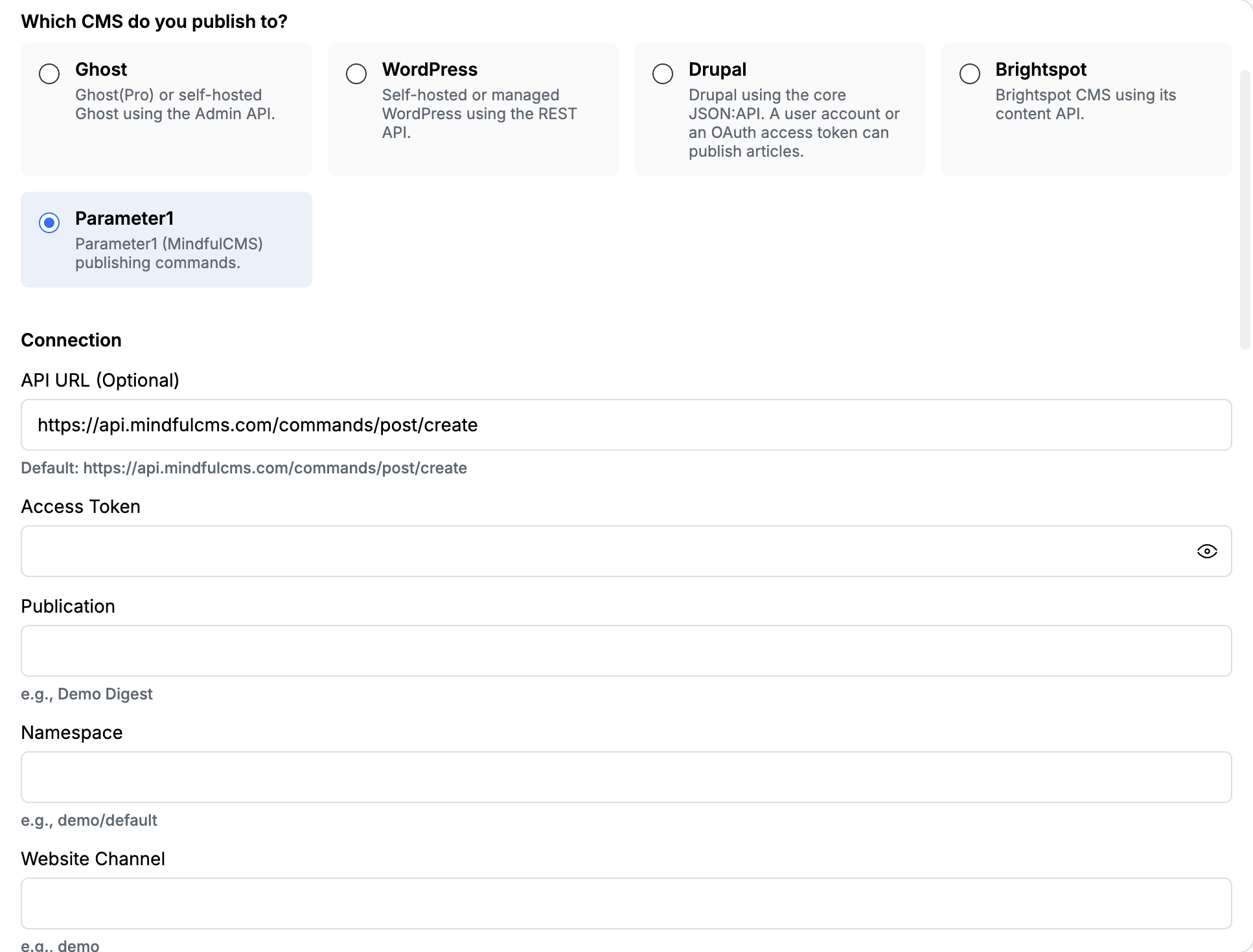
Connection
Section titled “Connection”The shared API URL field used by Ghost, WordPress, Drupal, and Brightspot is hidden here. Parameter1 has its own optional URL and a default Mindful endpoint.
| Field | Required | What to paste |
|---|---|---|
| API URL (Optional) | No | Leave the default https://api.mindfulcms.com/commands/post/create unless Edisource or Parameter1 gave you a different command URL |
| Access Token | Yes | The machine-to-machine token from Parameter1 |
| Publication | No | The publication name, such as Demo Digest |
| Namespace | Yes | The Parameter1 namespace, such as demo/default |
| Website Channel | Yes | Channel slug, such as demo |
| Website Channel ID | Yes | 24-character hexadecimal string |
| View | Yes | View slug, such as aerospace or engineering |
| Topic ID | Yes | 24-character hexadecimal string for the default topic |
| Environment | Yes | Production or Staging |
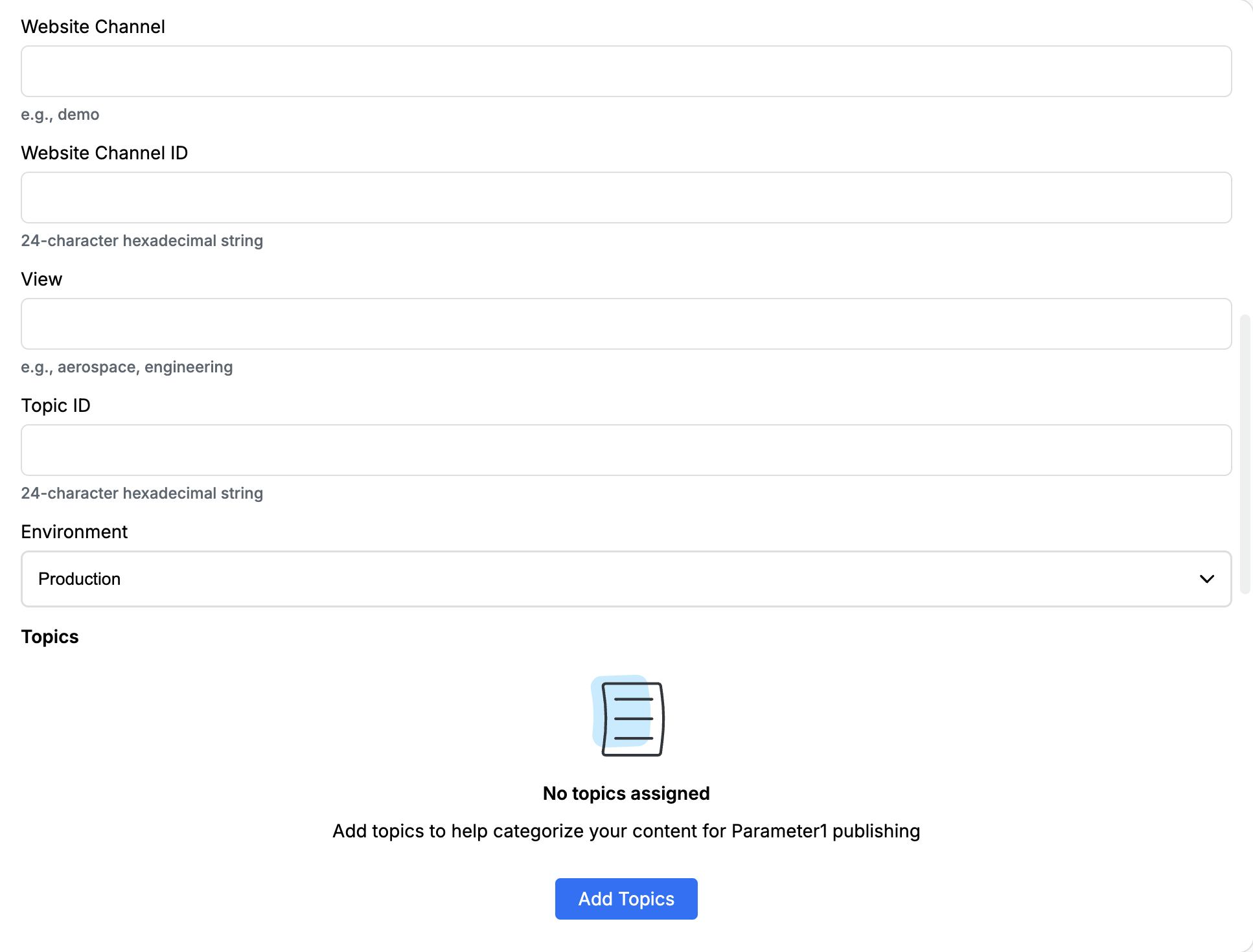
Topics
Section titled “Topics”The Topics list categorizes content on Parameter1. If none are assigned, the card shows No topics assigned.
Click Add Topics. Each topic needs:
| Field | What to paste |
|---|---|
| Topic Name | The label, such as Technology |
| Topic ID | 24-character hexadecimal string |
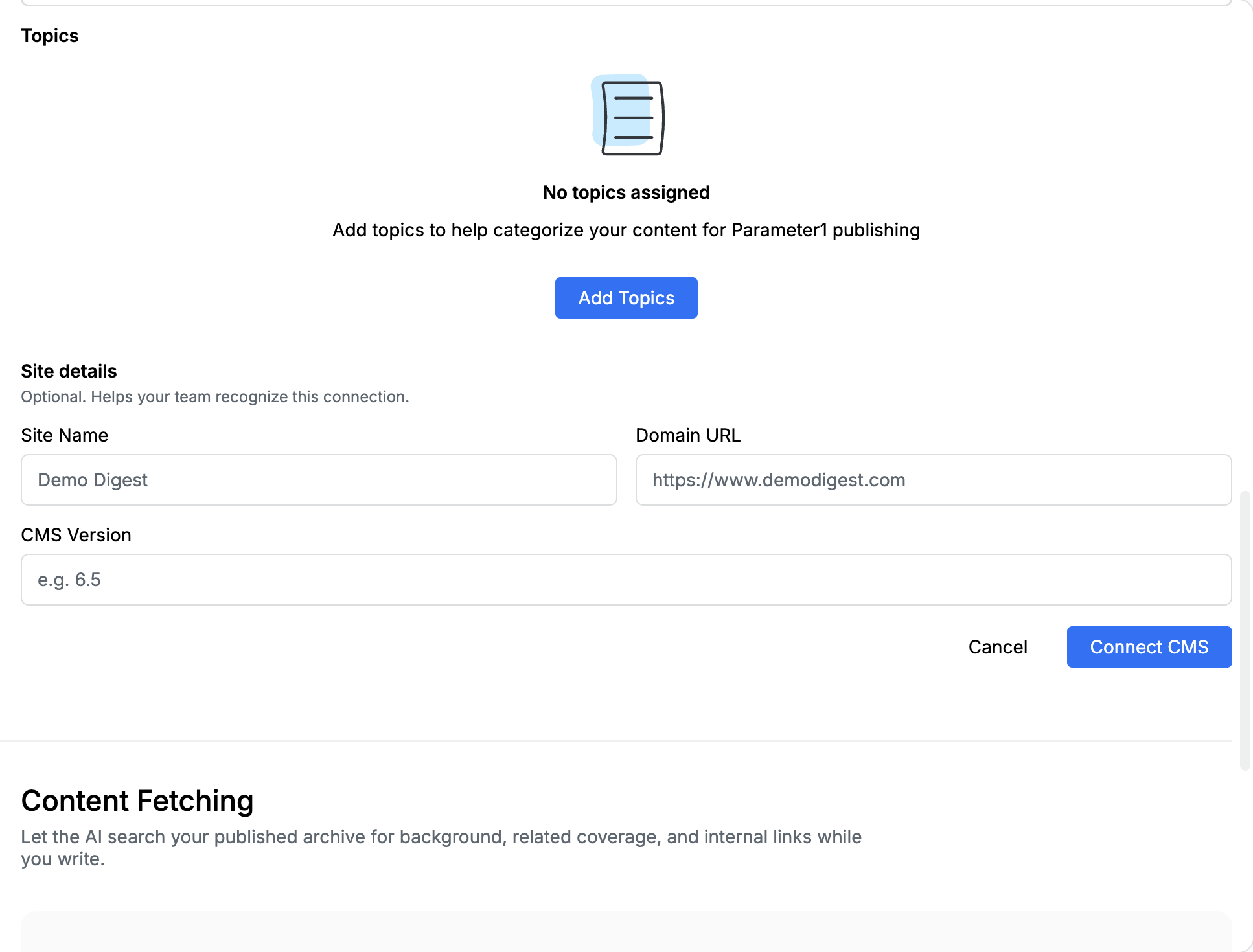
Site details (optional)
Section titled “Site details (optional)”These labels help your team recognize the connection.
| Field | What to paste |
|---|---|
| Site Name | A name your newsroom will recognize |
| Domain URL | The public site, such as https://www.example.com |
| CMS Version | Optional version label |
Body tags (not metadata_)
Section titled “Body tags (not metadata_)”Parameter1 looks for these wrappers in the HTML body and strips them after extraction:
| Tag | Lands on |
|---|---|
<title> or <heading> |
Headline |
<teaser> |
Excerpt / dek |
<caption> |
Featured-image caption |
<image_credit> |
Image credit |
Put the featured image URL in the normal feature_image field. Do not wrap that URL in a tag.
How to write tags in a template is in Structure output with XML tags.
After you save
Section titled “After you save”- Publish once to draft, not live.
- Confirm title, teaser, image, caption, credit, and topics in Parameter1.
- If a field is empty, the template used a
metadata_tag instead of the Parameter1 wrappers, or a channel / topic ID is wrong.