

Templates overview
Templates are reusable content assignments. A journalist, editor, or the AI agent Jo picks one, adds source material, and gets the same kind of finished piece every time.
That is the point. A template is not a one-off conversation. It is a house style, a story form, and a delivery contract that the newsroom can run again tomorrow.
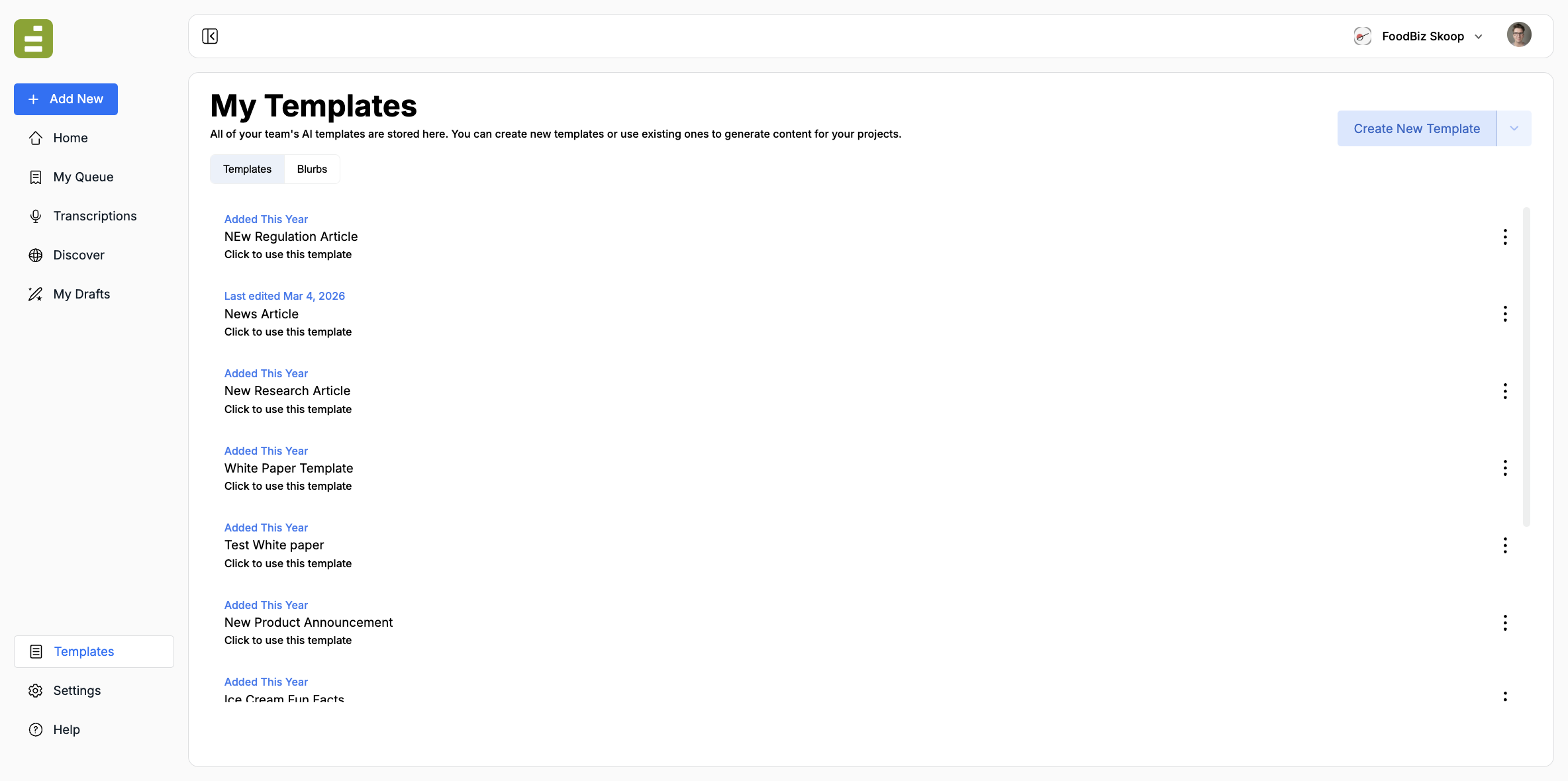
Open Templates in the left navigation. The library stores every template your team can run. Click a row to edit it, or Create New Template to add one.
Why a template is not a chatbot prompt
Section titled “Why a template is not a chatbot prompt”A chatbot prompt is disposable. You type what you need, get an answer, and start over the next time. The voice, structure, and fields drift from run to run.
An Edisource template is built to be highly consistent:
- The same name appears in the library, in Discover, and when Jo selects a template
- The same instructions run every time someone attaches source material
- The same output shape comes back, so editors know where the title, body, and metadata will be
Jo can only choose well if the template name and description make the job obvious. “News Article” is usable. “Write something about this” is not.
What a template contains
Section titled “What a template contains”A template is more than the prompt text. It also stores:
- A name the team and Jo can recognize
- An optional description of when to use it
- The model and generation settings
- Tools the model may use, such as web search
- Optional knowledge blocks for house voice, taxonomies, and other standing reference
- For Document templates, a published document theme
- Who can access or edit it
The prompt is the assignment. The settings are how that assignment runs. Together they produce a draft an editor can review, not a chat transcript.
When to create one
Section titled “When to create one”Create a template when you already know the form:
- A regulation or research article
- A new-product announcement
- A white paper
- A new-hire announcement
- Any other piece you will file more than once
If you only need a one-time answer, use chat. If you need the same piece next week, with new source material, make a template. A finished transcription can be that source material. A project can hold the shared files and instructions for the package those templates run against.
Add a template walks through creating one and choosing a model. Prompting best practices covers how to write the assignment for newsletters, rewrites, research, and other story forms. Knowledge blocks hold standing reference the model should reuse. Blurbs are for the same chat instruction on any draft, not a full assignment. Structure output with XML tags covers wrapping titles, SEO fields, and other attributes so Content Studio, the queue, and publishing can split them from the body. HTML templates are for fixed HTML layouts. Theme Studio is for Document templates that output a designed file.