

Connect Brightspot
Brightspot publishing uses your site’s content API. You need the API base URL and a key that can create content.
Org admins connect it at Settings → CMS Publishing. Click Connect CMS, then choose Brightspot.
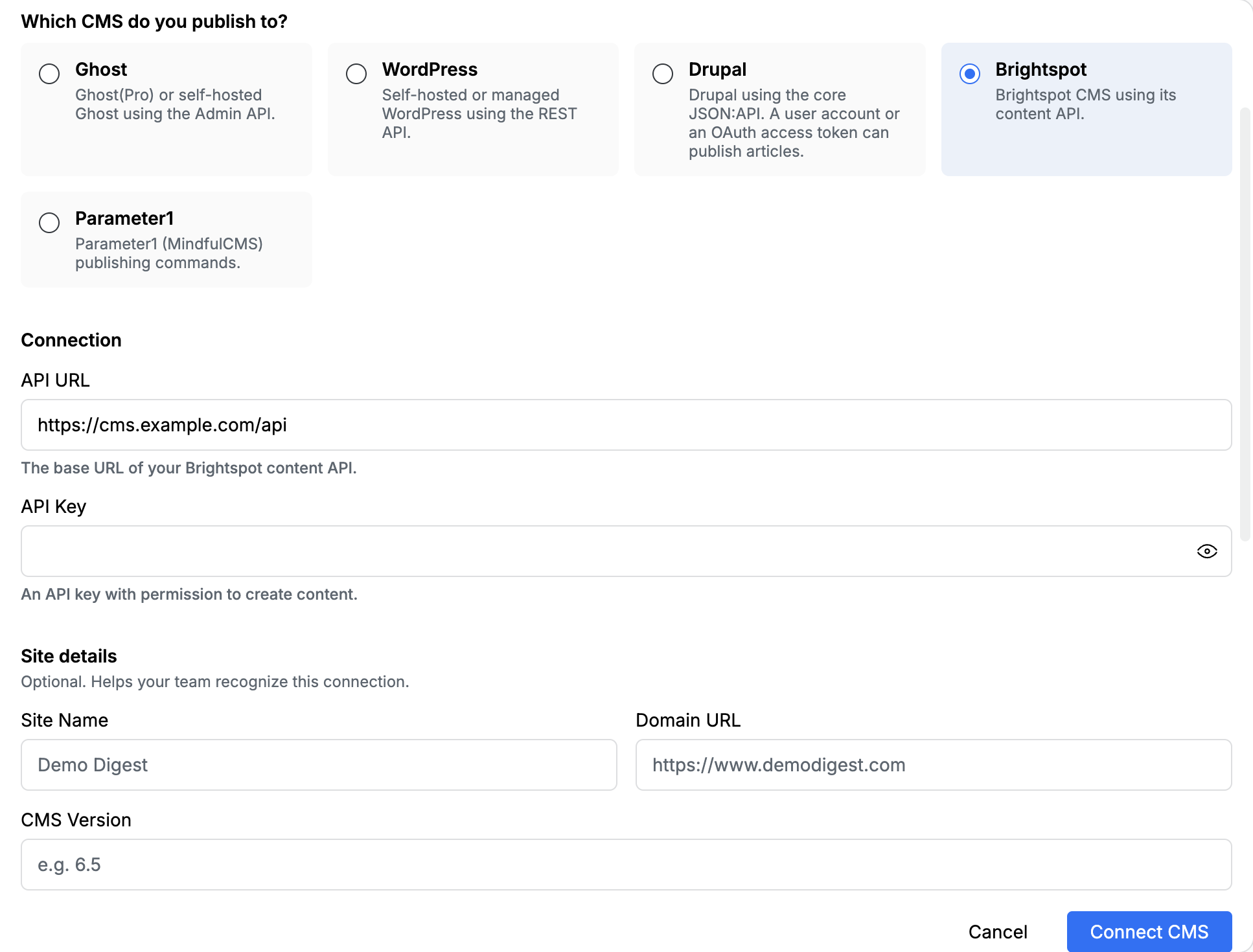
Connection
Section titled “Connection”| Field | What to paste |
|---|---|
| API URL | The base URL of your Brightspot content API, such as https://cms.example.com/api |
| API Key | An API key with permission to create content |
Site details (optional)
Section titled “Site details (optional)”These labels help your team recognize the connection. They are not used to call Brightspot.
| Field | What to paste |
|---|---|
| Site Name | A name your newsroom will recognize, such as Demo Digest |
| Domain URL | The public site, such as https://www.example.com |
| CMS Version | Optional version label |
What editors send
Section titled “What editors send”Publish from My Queue or Content Studio. Brightspot accepts the headline, body, excerpt, featured image, author, and SEO fields.
Tell the template to emit metadata_ and taxonomy_ tags. Edisource maps those onto the Brightspot item and strips the wrappers from the body. Brightspot also accepts these aliases:
| Tag | Lands on |
|---|---|
<metadata_headline> |
Title |
<metadata_seo_title> |
SEO title |
<metadata_seo_description> |
SEO description |
<metadata_author> |
Author |
The full tag list is in Connect a CMS.
After you save
Section titled “After you save”- Publish once to draft, not live.
- Confirm title, body, image, and SEO in Brightspot.
- If a field is empty, the template did not emit the matching tag.