

Theme Studio overview
A document theme is the visual layout Jo fills when a template runs in Document mode. Theme Studio is where you design those layouts: page types, content slots, brand chrome, and the word counts that keep generated copy on the page.
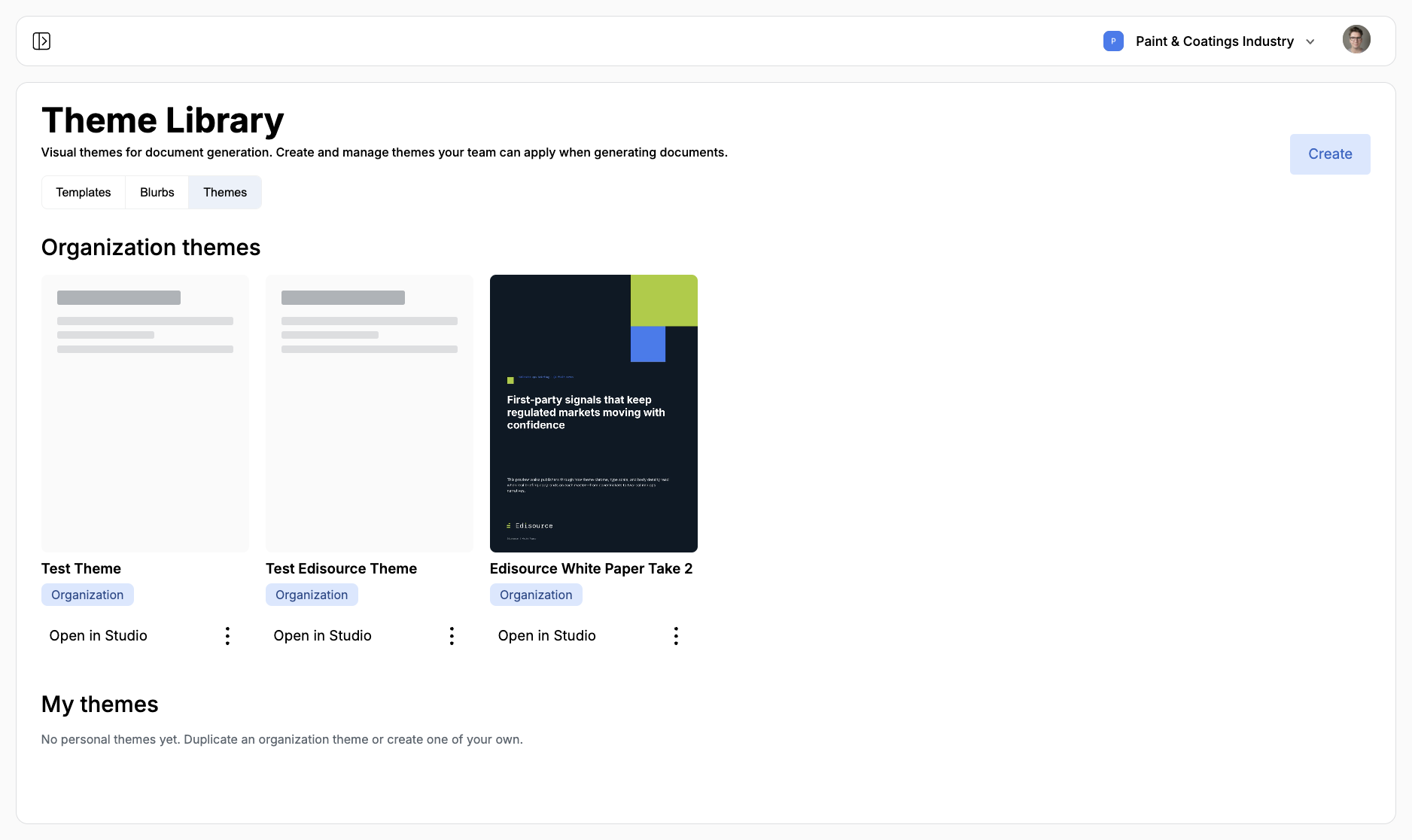
Open Templates, then the Themes tab. That list is the Theme Library. Click a card or Open in Studio to edit. Create starts a new theme.
This section is the theme designer. Document Studio is the later workspace where editors open a generated file, refine pages, and download it. A theme is the look. A document template is the assignment that writes into that look.
Why a theme is not a template
Section titled “Why a theme is not a template”A template is the desk assignment: what to write, from which sources, in which voice. A theme is the page: where the heading sits, how long the body can be, which colors and fonts to use.
Document generation needs both. The template writes the piece. The theme decides how that piece lands on a cover, a body page, or a closing page. Without a published theme, a Document template cannot save.
Theme Library
Section titled “Theme Library”Themes split into two lists:
- Organization themes: Shared with the team. Anyone with access can open them in Studio and use them on a document template.
- My themes: Personal copies. Duplicate an organization theme when you want to experiment without changing the shared version.
Each card shows a preview, the name, and an Organization or Personal chip. The three-dot menu can Open in Studio, Duplicate, or Delete. Deleting a personal theme is limited to the owner. Deleting an organization theme cannot be undone.
Draft vs published
Section titled “Draft vs published”Theme Studio autosaves a working draft. Publish is what makes the theme available for document generation.
Until you publish, the theme stays in review. Document templates only list active themes. After a theme is live, publishing again updates the live body. Confirm that step if editors are already using it.
Create a theme covers starting from scratch, uploading a PowerPoint, or generating with AI. Theme Studio walks the editor. Design best practices covers word counts, adaptive text, and descriptions Jo can follow.