

Function tools overview
A function tool is a reusable API call Jo can make while it is working. You define the endpoint, the authentication, and the parameters the model is allowed to pass. When the assignment needs that data, Jo calls the tool and uses the response in the draft.
That is different from an integration. An integration sends a finished story out when an editor publishes. A function tool runs in the middle of generation: look up a price, fetch a filing, check a product catalog, post a status into an internal system.
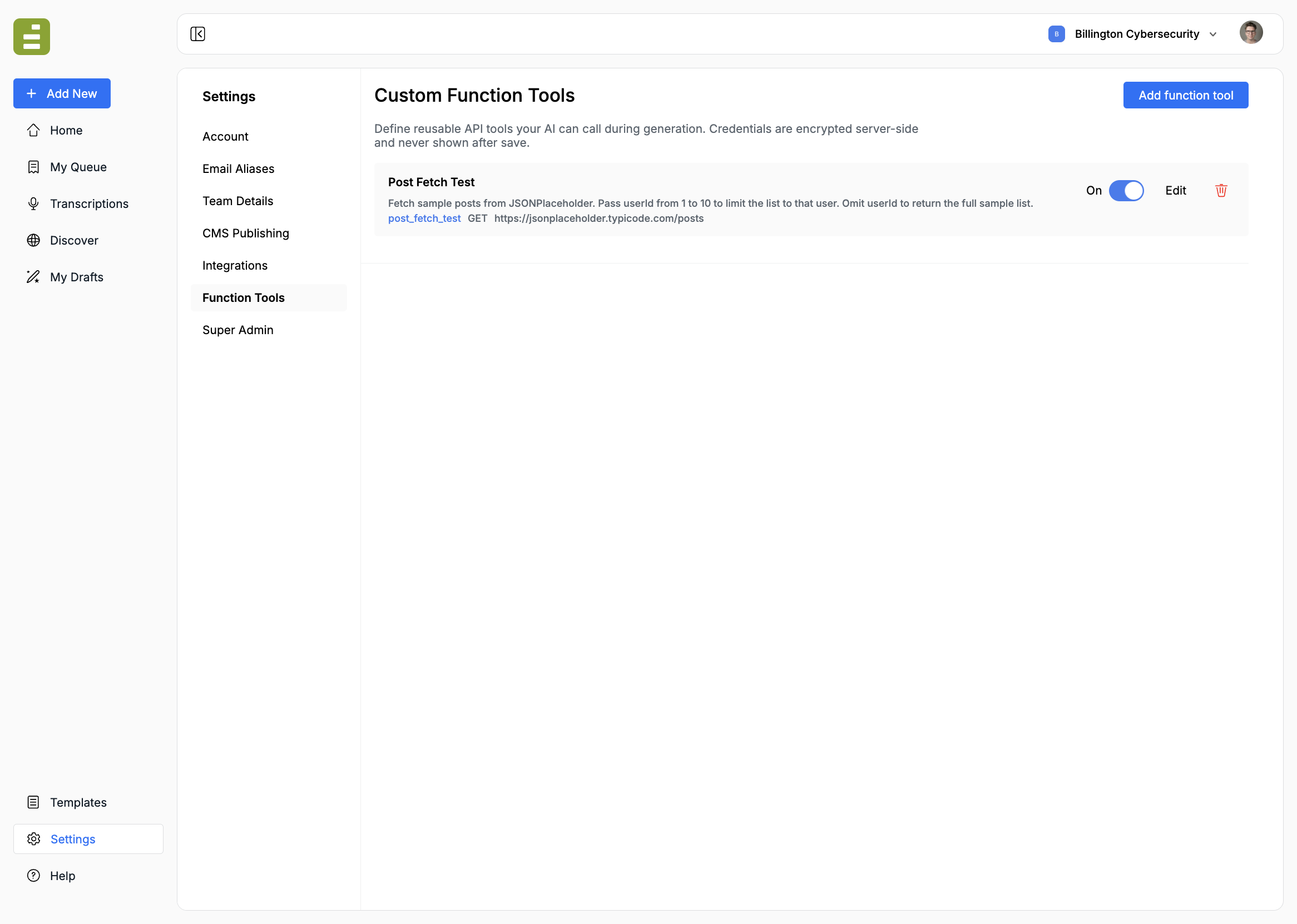
Org admins manage tools at Settings → Function Tools. Editors do not see this page. They use the tools you turn on for a template, for chat, or for Discover.
When to use one
Section titled “When to use one”Create a function tool when the same API should be available across more than one assignment, and the model should decide the arguments from the assignment.
Typical tools:
- A stock, weather, or product lookup
- A read from your archive or a research database
- A status check against an internal HTTPS API
- A write your newsroom already exposes, such as creating a ticket
If the job is “send this finished draft to WordPress, HubSpot, or a webhook,” use a custom integration or CMS publishing instead. If the job is “search our published archive,” use content fetching.
What you configure
Section titled “What you configure”| Piece | What it controls |
|---|---|
| Identity | The name Jo calls, the label people see, and the description that tells Jo when to use the tool |
| Where this tool can run | Chat and Discover. Prompt templates are turned on separately, on each template |
| Request | HTTPS method, endpoint, auth, and static headers |
| Parameters | The arguments Jo may pass, and where each one goes on the request |
| Response | Which fields come back, and how long to wait |
Secrets are encrypted and masked after save. The model never sees the token. It only sees the tool name, the description, and the parameters you defined.
Who can set this up
Section titled “Who can set this up”Function Tools is an org-admin page, same as CMS Publishing and Integrations. Ask an Edisource administrator if you cannot see it.
Typical split:
- IT / ops: endpoint, auth, headers, parameter mapping, response fields
- Editorial: the assignment text, plus turning the tool on for a specific template
The description is the instruction Jo reads. Write it the way you would brief a reporter: when to call the tool, what a good argument looks like, and what to do if the field is optional.
- Use cases for trials, filings, dockets, and in-house databases
- Create a function tool
- Parameters and responses
- Use a function tool