

Create a feed
A feed is one assignment. Give it a clear source, a clear beat, and instructions the Agent can follow. Do not try to make one feed do every watch on the desk.
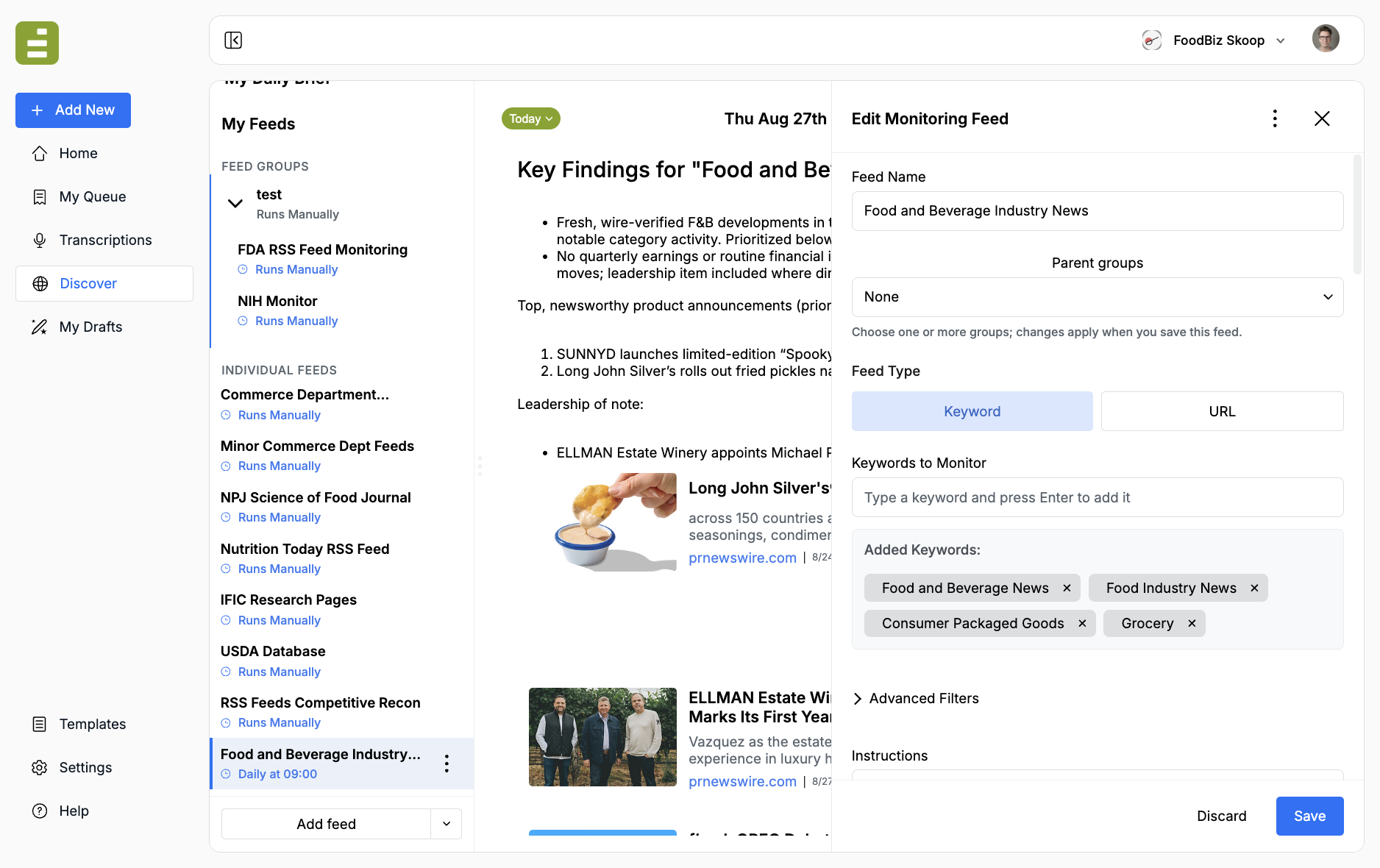
Open Discover
Section titled “Open Discover”- Go to Discover in the Edisource navigation.
- Review My Feeds. Groups sit at the top. Individual feeds sit below.
- Click Add feed to create a keyword or URL feed. Open the dropdown next to Add feed if you want a group instead.
Enter basic information
Section titled “Enter basic information”- Feed name: Use a name you can recognize later, such as “FDA labeling updates” or “Breaking tech policy.”
- Feed type:
- Keyword: Monitor terms across the web
- URL: Monitor one site, page, or RSS feed
- Priority:
- Low: Background research
- Medium: Important but not urgent (default)
- High: Breaking or time-sensitive monitoring
- Parent groups (optional): Assign the feed to one or more groups. Changes apply when you save.
Add what to monitor
Section titled “Add what to monitor”Keyword feeds
Section titled “Keyword feeds”- Type a keyword or phrase and press Enter.
- Add related terms if the topic is discussed in more than one way.
- Remove a term with the X on its chip.
Good starting examples: artificial intelligence regulation, machine learning policy, neural network safety.
Be specific enough to stay on beat, but not so narrow that nothing matches.
URL feeds
Section titled “URL feeds”- Paste the full URL, including
https://. - Point at the page the Agent should actually watch — the table, listing, or RSS feed where new items appear, not a homepage.
- Confirm the page is publicly reachable. Discover cannot monitor login-only pages.
Examples: a publications listing, a Federal Register RSS feed, or https://example.com/news.
Do not overcrowd a URL feed
Section titled “Do not overcrowd a URL feed”Teams often ask how many URLs can go in one feed. There is no magic number. When in doubt, create a new feed instead of stacking more URLs into an existing one.
A crowded URL feed is harder to instruct, harder to debug, and more likely to miss the item you care about. Split sources that publish on different cadences or need different click-through steps.
There is no downside to creating more feeds. You can always group them under a parent that monitors the child feeds and reports on the signals you specify.
Write the instructions next
Section titled “Write the instructions next”Do not save a feed with only a name and keywords or a URL. The Instructions field is what tells the Agent what it is watching, where to click, and what “good” looks like. Continue with Feed settings.