

Connect Ghost
Ghost publishing uses the Admin API. You need a Custom Integration in Ghost and the Admin posts endpoint.
Org admins connect it at Settings → CMS Publishing. Click Connect CMS, then choose Ghost.
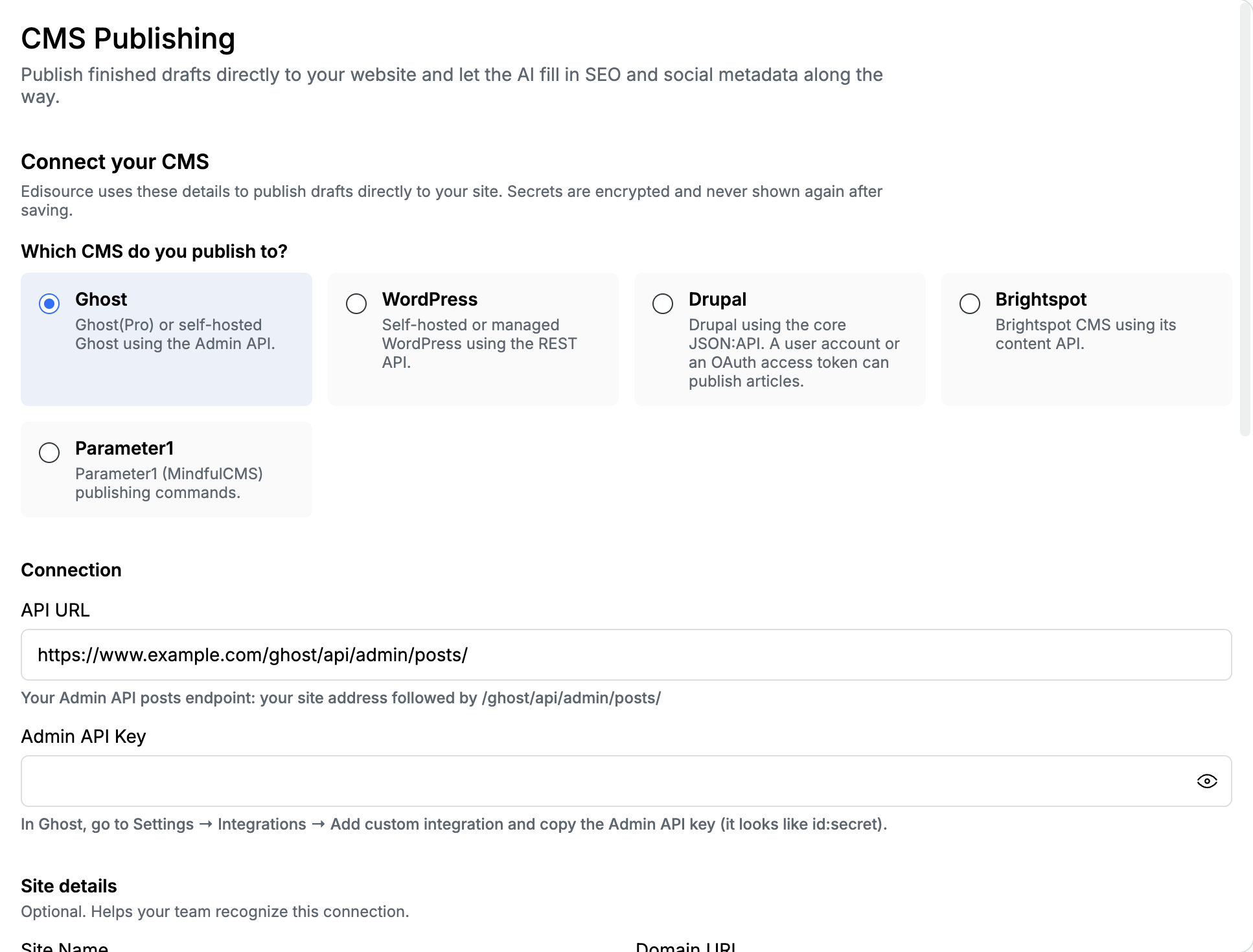
Connection
Section titled “Connection”| Field | What to paste |
|---|---|
| API URL | The Admin posts endpoint: your site address plus /ghost/api/admin/posts/. Example: https://yoursite.example.com/ghost/api/admin/posts/ |
| Admin API Key | The id:secret key from Ghost. In Ghost go to Settings → Integrations → Add custom integration and copy the Admin API key. It looks like 64a1…:1c2d…. |
Do not use the Content API key here. That key is read-only and belongs on Content fetching.
Site details (optional)
Section titled “Site details (optional)”These labels help your team recognize the connection. They are not used to call Ghost.
| Field | What to paste |
|---|---|
| Site Name | A name your newsroom will recognize, such as Demo Digest |
| Domain URL | The public site, such as https://www.example.com |
| CMS Version | Optional, such as 5.82 |
What editors send
Section titled “What editors send”Publish from My Queue or Content Studio. Ghost accepts HTML (or editor JSON), a featured image, tags, and SEO fields.
Tell the template to emit metadata_ and taxonomy_ tags. Edisource maps those onto the Ghost post and strips the wrappers from the body. The tag list is in Connect a CMS and Structure output with XML tags.
After you save
Section titled “After you save”- Publish once to draft, not live.
- Confirm title, body, image, tags, and SEO in Ghost.
- If a field is empty, the template did not emit the matching tag.