

Connect Drupal
Drupal publishing uses the core JSON:API. Paste the site address, not a full collection URL. Auth is a Drupal username and password, or an OAuth access token from Simple OAuth.
Org admins connect it at Settings → CMS Publishing. Click Connect CMS, then choose Drupal.
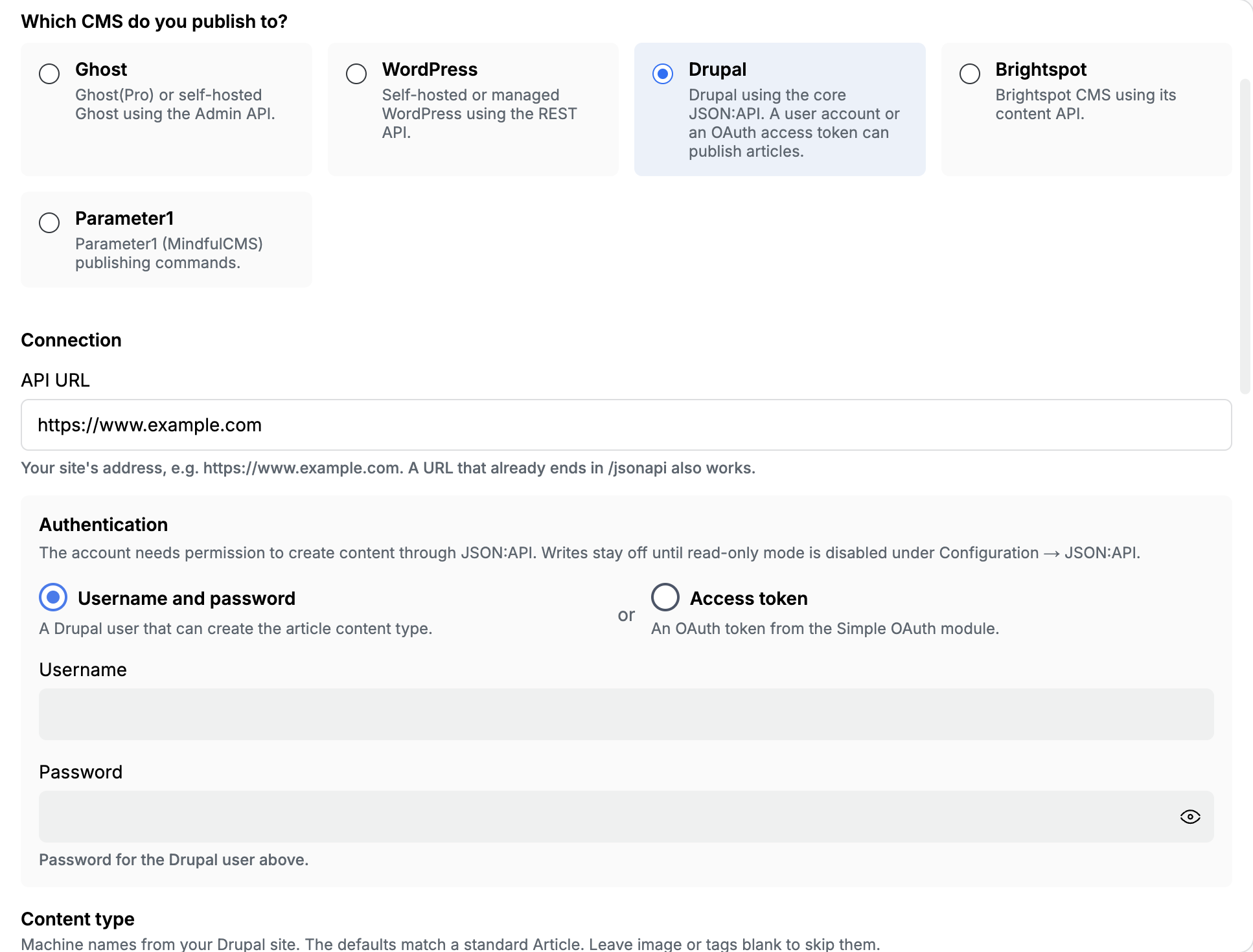
Connection
Section titled “Connection”| Field | What to paste |
|---|---|
| API URL | Your site’s address, such as https://www.example.com. A URL that already ends in /jsonapi also works. Do not paste a collection path like /jsonapi/node/article. |
Enable the JSON:API module (core in Drupal 8 and later). Under Configuration → JSON:API, turn read-only mode off. Writes stay blocked until that is off.
Authentication
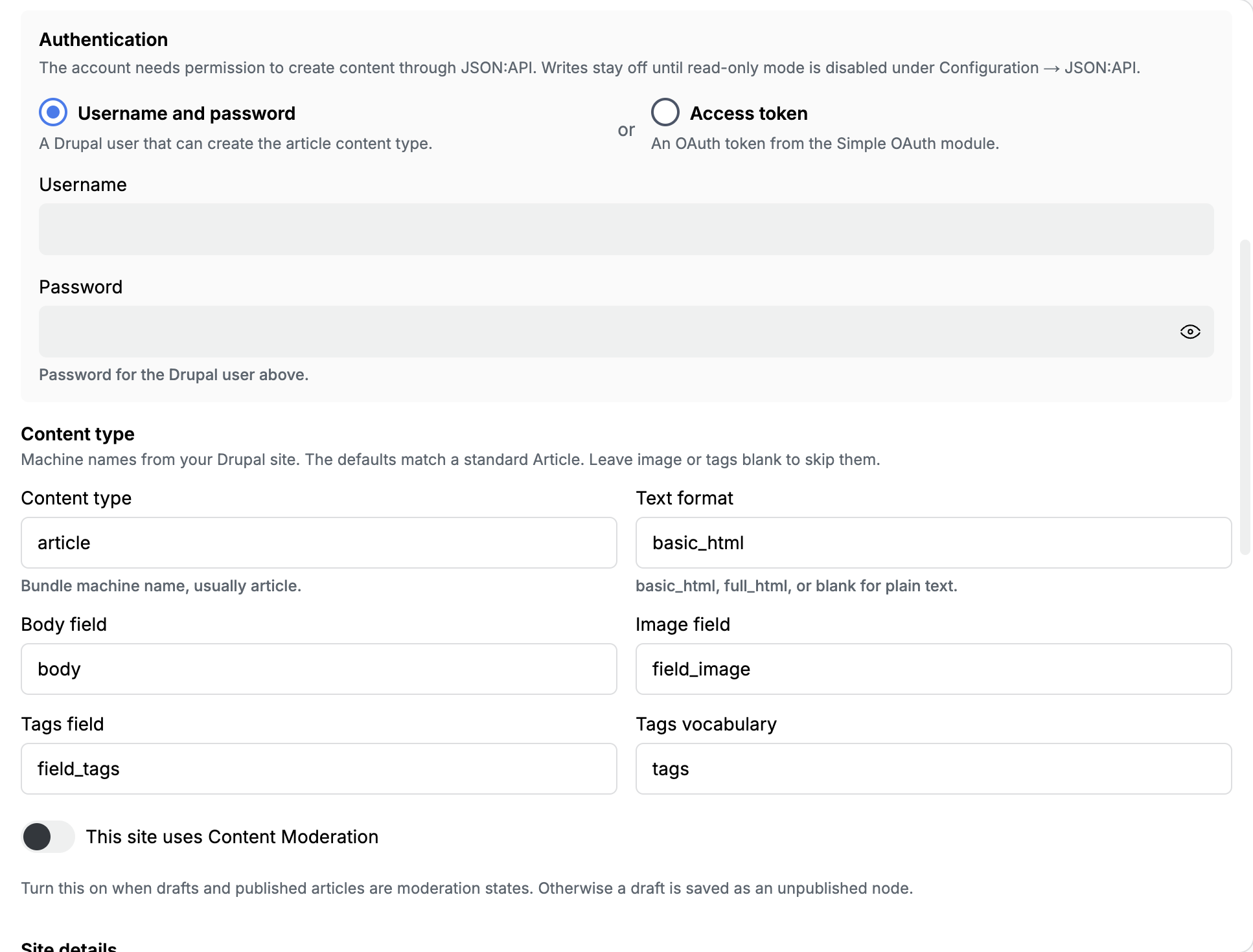
Section titled “Authentication”The account needs permission to create the content type you publish to.
Username and password
A Drupal user that can create that content type (usually Article).
| Field | What to paste |
|---|---|
| Username | The Drupal username |
| Password | That user’s password |
Access token
An OAuth token from the Simple OAuth module. Paste the bearer token with permission to create content.
Content type
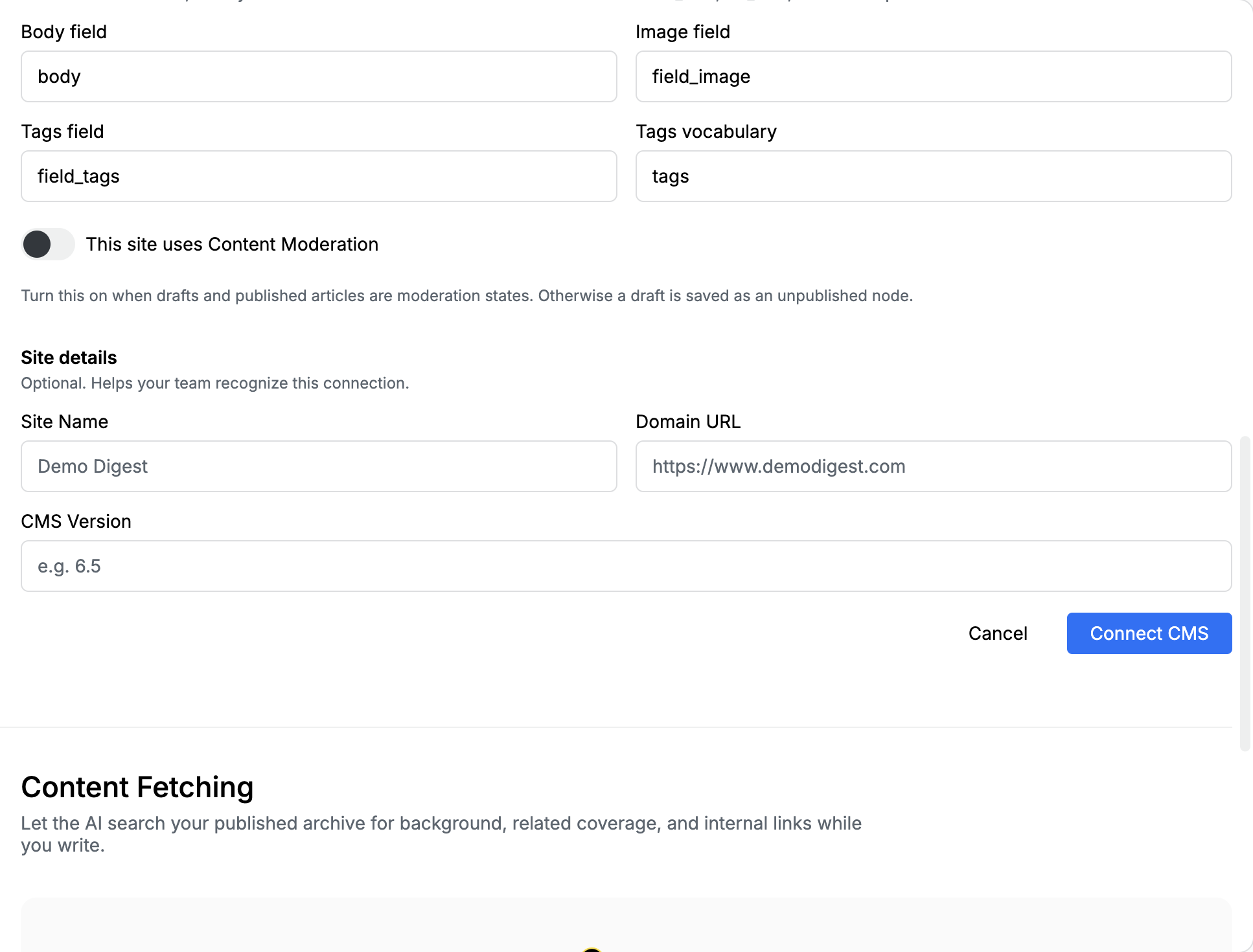
Section titled “Content type”Machine names from your Drupal site. The defaults match a standard Article. Leave Image field or Tags field blank to skip that part.
| Field | Default | What to paste |
|---|---|---|
| Content type | article |
Bundle machine name |
| Text format | basic_html |
basic_html, full_html, or blank for plain text |
| Body field | body |
Machine name of the body field |
| Image field | field_image |
Machine name of the image field. Blank means skip the featured image |
| Tags field | field_tags |
Machine name of the tags field. Blank means skip tags |
| Tags vocabulary | tags |
Vocabulary machine name for those tags |
| This site uses Content Moderation | Off | Off: a draft is an unpublished node. On: drafts and published articles are moderation states |
Featured images upload as Drupal file entities and attach to the node.
Site details (optional)
Section titled “Site details (optional)”These labels help your team recognize the connection. They are not used to call Drupal.
| Field | What to paste |
|---|---|
| Site Name | A name your newsroom will recognize, such as Demo Digest |
| Domain URL | The public site, such as https://www.example.com |
| CMS Version | Optional, such as 10.3 |
XML tags
Section titled “XML tags”Templates should emit the same metadata_ tags as Ghost and WordPress. For taxonomy, the part after taxonomy_ is the field machine name. Edisource looks up terms in the matching vocabulary (field_tags uses the Tags vocabulary you saved; field_section uses a vocabulary named section).
<taxonomy_field_tags>industry, regulation</taxonomy_field_tags><taxonomy_field_section>policy</taxonomy_field_section>Values are term names or term UUIDs. The full tag list is in Connect a CMS.
After you save
Section titled “After you save”- Confirm JSON:API read-only mode is off.
- Publish once to draft, not live.
- Confirm title, body, image, and tags on the Drupal node.
- If a field is empty, the machine name does not match the site, or the template did not emit the tag.