

Parameters and responses
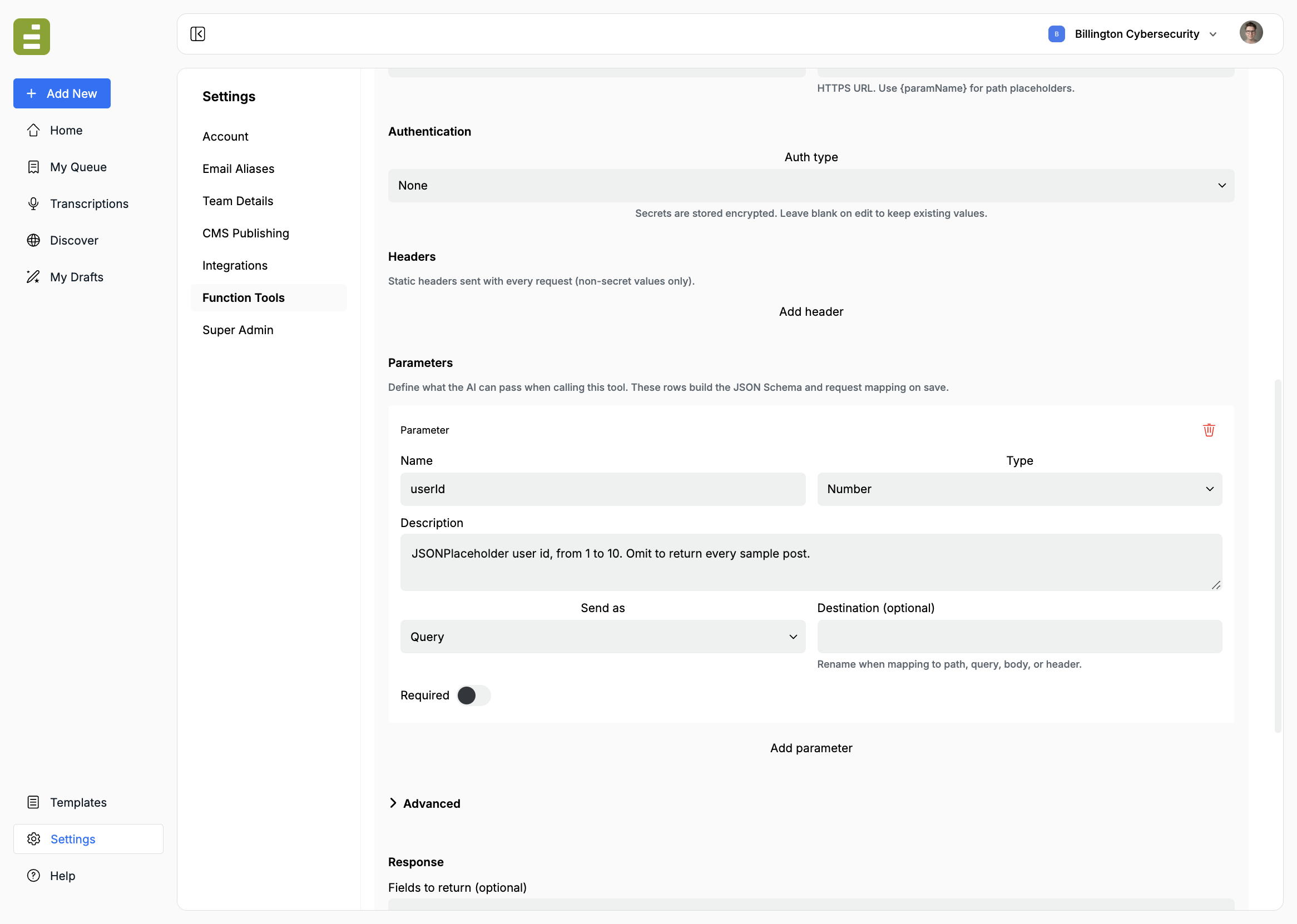
Parameters are the only arguments Jo can send. Each row becomes part of the tool definition the model sees, and part of the request Edisource builds. If a value is not a parameter, Jo cannot invent a query string or a body field for it.
Add a parameter
Section titled “Add a parameter”- Open the tool and find Parameters.
- Click Add parameter.
- Fill in the row.
- Repeat for each argument.
- Save.
| Field | What it is |
|---|---|
| Name | The argument name Jo uses. Letters, numbers, and underscores only. Example: userId |
| Type | String, Number, or Boolean |
| Description | What the value means, including format and when to omit it |
| Send as | Path, Query, Body, or Header |
| Destination | Optional rename on the wire. Leave blank to use the parameter name |
| Required | Jo must supply this argument. Leave off when the API treats the field as optional |
The description is what the model reads. Put the constraint in the sentence.
JSONPlaceholder user id, from 1 to 10. Omit to return every sample post.Where the value goes
Section titled “Where the value goes”| Send as | Result |
|---|---|
| Path | Replaces {name} in the endpoint URL |
| Query | Appends ?name=value |
| Body | Adds a JSON field. Used on POST, PUT, and PATCH |
| Header | Sends the value as an HTTP header |
Destination renames the key without changing the name Jo uses. A parameter named ticker with destination symbol is still ticker in the tool definition, and symbol on the request.
Path placeholders use the parameter name: https://api.example.com/v1/filings/{cik}. If the URL still contains {curly braces} when the tool runs, the call fails.
Query and header keys are the destination when you set one, otherwise the parameter name.
Response
Section titled “Response”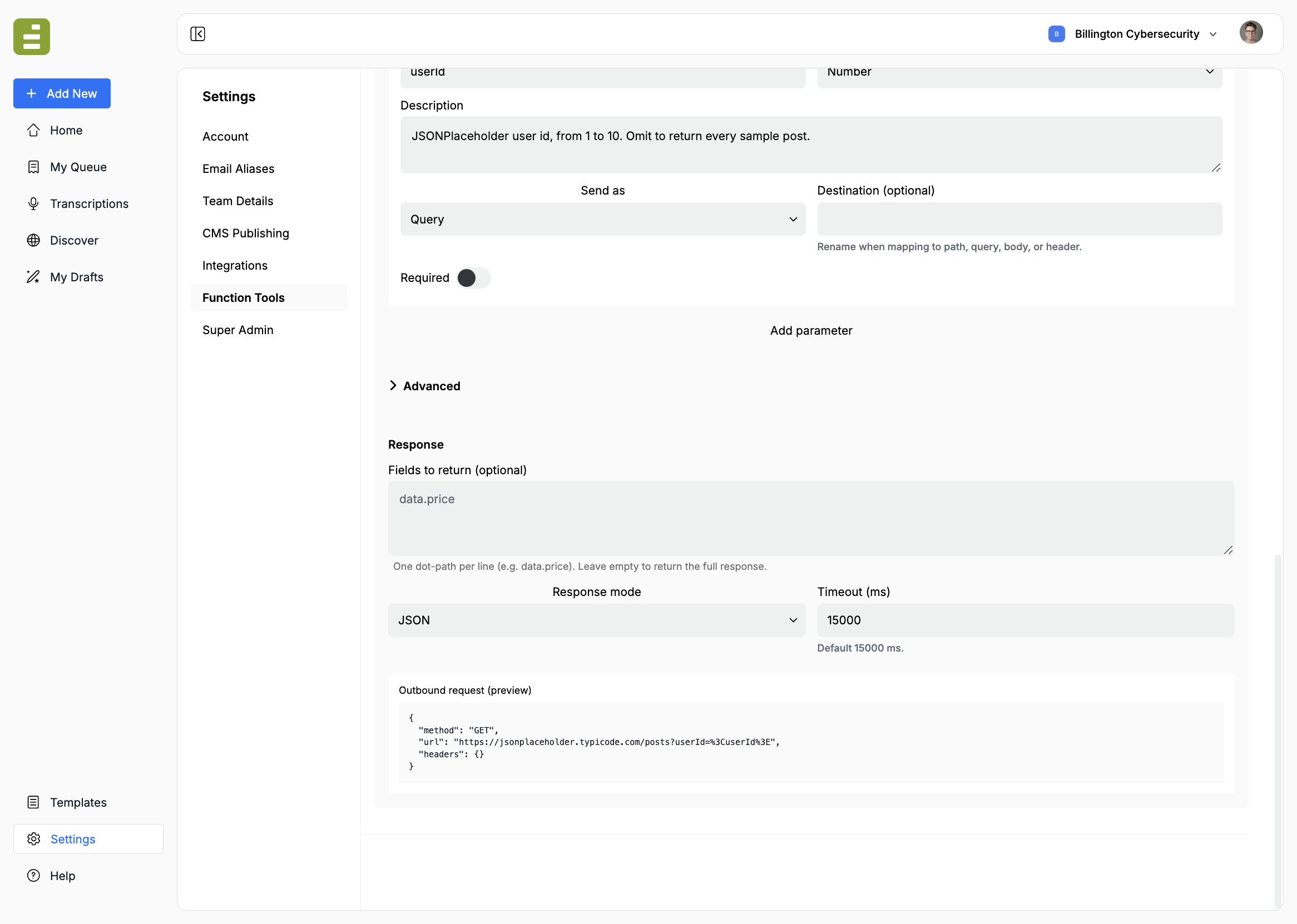
| Field | What it is |
|---|---|
| Fields to return | Optional. One dot-path per line, such as data.price. Empty means Jo receives the full response |
| Response mode | JSON or Text |
| Timeout (ms) | How long to wait. Default is 15000. The cap is 30000 |
Use Fields to return when the payload is large or noisy. data.price keeps the price and drops the rest. Leave it empty for a small JSON object you want Jo to read in full.
JSON parses the body. Text returns the body as text. Pick text for endpoints that do not return JSON.
The preview at the bottom is a sample, not a live call. Placeholders look like <userId>. Secrets show as a mask. Read the URL before you save: method, path, query string, and headers should match what your API expects.
Advanced
Section titled “Advanced”Advanced → Use raw JSON Schema and body template replaces the parameter rows with two fields:
- Input schema (JSON) — a JSON Schema object:
{ "type": "object", "properties": { ... } } - Body template — optional JSON with
{{param}}placeholders, forPOST,PUT, andPATCH
Use this when the guided rows cannot express the body your API wants, for example a nested object. The template must still be valid JSON after the placeholders are filled. Unknown {{names}} fail the call.
Most tools should stay on the guided rows. The preview and the parameter descriptions are easier to keep aligned.